




theneokfr
WRobot user
-
Joined
-
Last visited
Everything posted by theneokfr
-
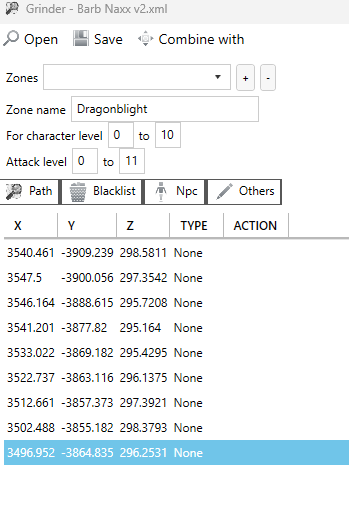
Hi all, I have recorded a path as Grinder but have trouble with adding a key press at a specific location only. Basically, when reaching a certain point like X: 3500.111, Y: xxxx.111, Z: xxxx.111 I would like to press "X". This using the Path recorder as on screenshot. I tried a few things in the Action Tab but so far, not succeeded. This would really change everything for me and I hope someone will be able to provide guidance on that. Really appreciate in advance and wish you a great day.
-
Hi all, related question, I am on a server that does not require to actually mine/gather (click). it is automatically picked when flying/running over it, no need to pause either. Is there a way to avoid doing the mining / gathering action and just go from waypoint to waypoint without dismountting ? Thanks in advance