




geoffrey71
Members
-
Joined
-
Last visited
-
Ok, i have your code, but i have many errors :O Can you share your base code directly please ? I Think the decompilation create many errors on code... like ObjectManager.get_Me().get_IsMounted I Have an error on get_Me() : Compiler Error CS0571 'get_Me()' : cannot explicitly call operator or accessor Update June 30 : Hello, i debugged the code, it's only a decompilation problem with many cast in WoWObject or other. I have a full code and it's work with the : if (!MeHaveBuff("24858")) SpellManager.CastSpellByIdLUA(24858); if (MeHaveBuff("24858") && wManager.Wow.ObjectManager.ObjectManager.Me.Target.IsNotZero() && Fight.InFight) {
-
Hello, thanks for your reply. I have decompiled your dll, i'm testing if it's works Bye.
-
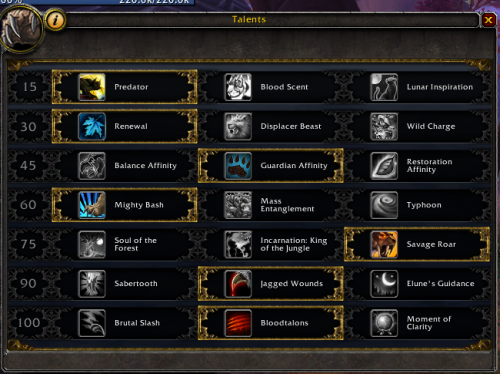
Hello, Thanks for your fightclass. I have a problem, the drood didn't go in moonkin form automatically in fight. I use the fightclass with "Party" tools. And i have a french client.
-
-
-
-
 Hello Pasterke, I attach log, i hope you find the problem. I try with killing Teamviewer, and the same result. Thanks in advance. 28 oct. 2016 22H47.log.html
- 46 comments
- 3 reviews
-
Maybe the general problem for drood fightclass is resolved, but this fightclass not work for me. Always cast warstomp and full auto attack...
- 46 comments
- 3 reviews
-
-
New version tested, but 23k dps ... Full auto attack, only Defensive CD used and war stomp... What is the problem ?? Globally, the rotation not working on "Party" product, and on Wrotation, my drood not use drood form (bear or cat) Thank you in advance.
- 46 comments
- 3 reviews
-
Hello, i see a problem in french client. I configured the settings of your DLL, but i have many errors...
- 46 comments
- 3 reviews
-
I confirm this fact. I have this mount.
-
Oh thanks this is probably it. Bye.
-
Hello Droidz, Thanks for the fast update for this problem. But i have one more problem, Sometimes the artefact to pickup is not picked up and my Archeo go run away for the next artefact. This error appear : Impossible during moving. I think the time for pick up is not long enough or need check after try pick. It's possible for you to investigate ? Thank you in advance, Bye.
-
-
Hello Droidz, I have the same problem for this tools. i found that : Name Type Display ID Entry ID Position X Position Y Position Z Distance Rotation Faction GUID Summoned/Created By Trouvaille archéologique des Bien-nés - (on WowHead) WoWGameObject 34076 246811 -209,222 5522,944 54,043 5,695726 2,542995 - 007096000059BD672C3AF49880F106C0 0000000005156F6A0814DC0000000000 The entry id 246811 is for the one of three type of entity. If it's possible to add on bot the three entity : http://fr.wowhead.com/object=246811/trouvaille-archeologique-des-bien-nes http://fr.wowhead.com/object=246812/trouvaille-archeologique-demoniaque http://fr.wowhead.com/object=246804/trouvaille-archeologique-taurene-de-haut-roc Thanks in advance Droidz, Bye
-
