Shadow
Elite user
-
Joined
-
Last visited
Everything posted by Shadow
-
Mine showed up with username#password prefilled in, no tooltip, but yea. I guess its going to run off license codes now and not the username/password. From a security standpoint I think the username/password was a better solution because people would be less likely to hand out their username/password than their license key. Unless you do ip location blocking. To prevent theft of service I mean.
-
yea, I meant to pm droidz with the fixed english translation in the buildlog, but havnt gotten time yet, problem is most ppl wouldnt read it lol. Im not sure if this is out of beta yet or not, I know the store is open, but I havnt seen anything on ownedcore except the beta thread filled with leechers trying to get a free lifetime sub. Anyone testing will see this thread anyhow.
-
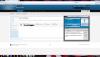
After the latest update, I am getting an error trying to authenticate my subscription I believe. my username changed to user#password, and when I click login I am given error. Login error, try to disable your antivirus, go to the website if you need help: http://wrobot.eu/ I did disable the antivirus just to be sure, that did not help. Edit: I figured it out, but for others who may experience this issue, you need to change the field in the bot login from your username#password to the actual license code found in my screenshot below (blacked out for obvious reasons)
-
What Ive actually been doing, (until i can hammer out my loc profile, and more classes become available) is using the default fight class (which basically /attack(s) and run PQR with WRobot, then WRobot handels the paths and interaction, and PQR does the actual rotation for fighting once your toon is in combat. I do realize this completely defeats the purpose of fight classes, but it loops back to my origional suggestion of implementing pqr profiles.
-
oooo more pplz :)
-
love more your avatar lol, Elfin Lied rocks.
-
I think this was mainly done to integrate the registration system and forums and subscriptions into one signup. Also where does it say what signup # you were out of curiosity
-
Hello Hello (again) :D
-
Yea new site looks nice, we need more of a community though, these forums are dead :( granted there are few testers as well.