Skip to content
View in the app

A better way to browse. Learn more.

WRobot

A full-screen app on your home screen with push notifications, badges and more.

To install this app on iOS and iPadOS
  1. Tap the Share icon in Safari
  2. Scroll the menu and tap Add to Home Screen.
  3. Tap Add in the top-right corner.
To install this app on Android
  1. Tap the 3-dot menu (⋮) in the top-right corner of the browser.
  2. Tap Add to Home screen or Install app.
  3. Confirm by tapping Install.

Kuffty

Members
  • Joined

  • Last visited

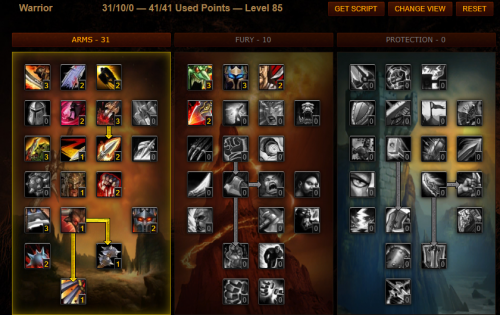
  1.    kiko reacted to a comment on a file: [Kiko's] Arms Warrior for leveling 2018 update
  2. might want to add strike to it for the lower levels
  3. already tryed and no errors. Is there anyway i can just download the pre cata maps ?
  4. Kuffty changed their profile photo
  5. Hi for some reason my map images dont save. When i look at the data minimap folder i see them appear for a second and dissapear any way to fix this ? https://gyazo.com/b461400ce7e22dd54ea6e07907dda91c
  6.    vidman reacted to a post in a topic: Actual price (private server price)

Account

Navigation

Search

Search

Configure browser push notifications

Chrome (Android)
  1. Tap the lock icon next to the address bar.
  2. Tap Permissions → Notifications.
  3. Adjust your preference.
Chrome (Desktop)
  1. Click the padlock icon in the address bar.
  2. Select Site settings.
  3. Find Notifications and adjust your preference.