Skip to content
View in the app

A better way to browse. Learn more.

WRobot

A full-screen app on your home screen with push notifications, badges and more.

To install this app on iOS and iPadOS
  1. Tap the Share icon in Safari
  2. Scroll the menu and tap Add to Home Screen.
  3. Tap Add in the top-right corner.
To install this app on Android
  1. Tap the 3-dot menu (⋮) in the top-right corner of the browser.
  2. Tap Add to Home screen or Install app.
  3. Confirm by tapping Install.

6226368q

Members
  • Joined

  • Last visited

  1. Hey guys! Is there any videos about how to use API in Wrobot ,please tell me the URL,Thank you very much.
  2. thank you very much,Droidz.You helped me understand a big problem, RunMacroText is not implanted in wow vanilla.we cant use RunMacroText("/logout").But how to use API in WROBOT.When I finished my food. My mana(MP) is full.How can i stand up so i can use my skills. it Confused me for a long time. Can you give me some details how to use API in Wrobot, like stand up. I know it's god-awful, but i cant find some thing to teach me how to use API in Wrobot .I want to learn.but i dont know how to do . I would very appreciate for your time and your help.
  3. after i killed some MOB , i have to eat food for mana, . the problem is how to stand up,so i can cast my skills.
  4. thanks for your help . I add RunMacroText("/Logout") And i choose not a spell is a lua script true Do I need to do more?
  5. 6226368q changed their profile photo
  6. Thanks for your help. My version of WoW 1.121 . Also try using full code for it. Not shortened. i do not understand. what is full code, what is shortened.
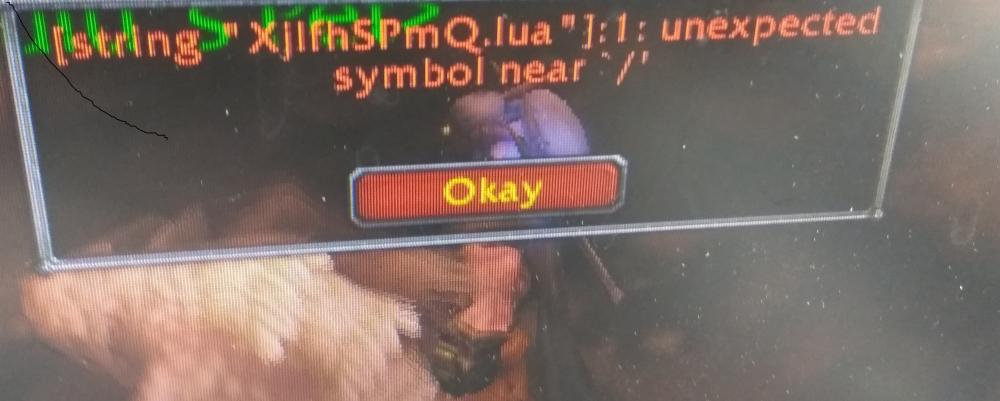
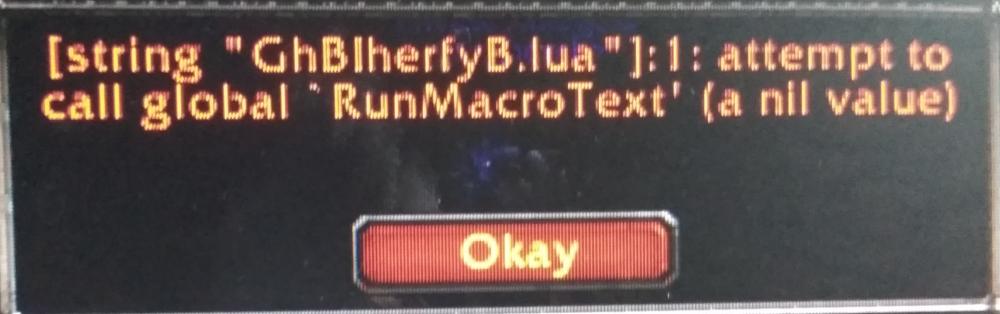
  7. ``Hey, when I use lua ,wow remind me with the pictures below, Here is my setting, In spells(order by priority) i add RunMacroText("/Logout") l .in spell settings i choose not a spell is a lua script true. In the end i set spell conditions with when mana below 90 percent .but it not work. Who can help me?
Account

Navigation

Search

Search

Configure browser push notifications

Chrome (Android)
  1. Tap the lock icon next to the address bar.
  2. Tap Permissions → Notifications.
  3. Adjust your preference.
Chrome (Desktop)
  1. Click the padlock icon in the address bar.
  2. Select Site settings.
  3. Find Notifications and adjust your preference.