dono2jean1
Members
-
Joined
-
Last visited
-
i dont know where to find the download for 3.3.5 it only shows from mop on older versions so if you could give me a link to 3.3.5 would help
-
i dont know where to download the 3.3.5 i cant find it anywhere
-
i run 3.3.5 wotlk and thats all it says
-
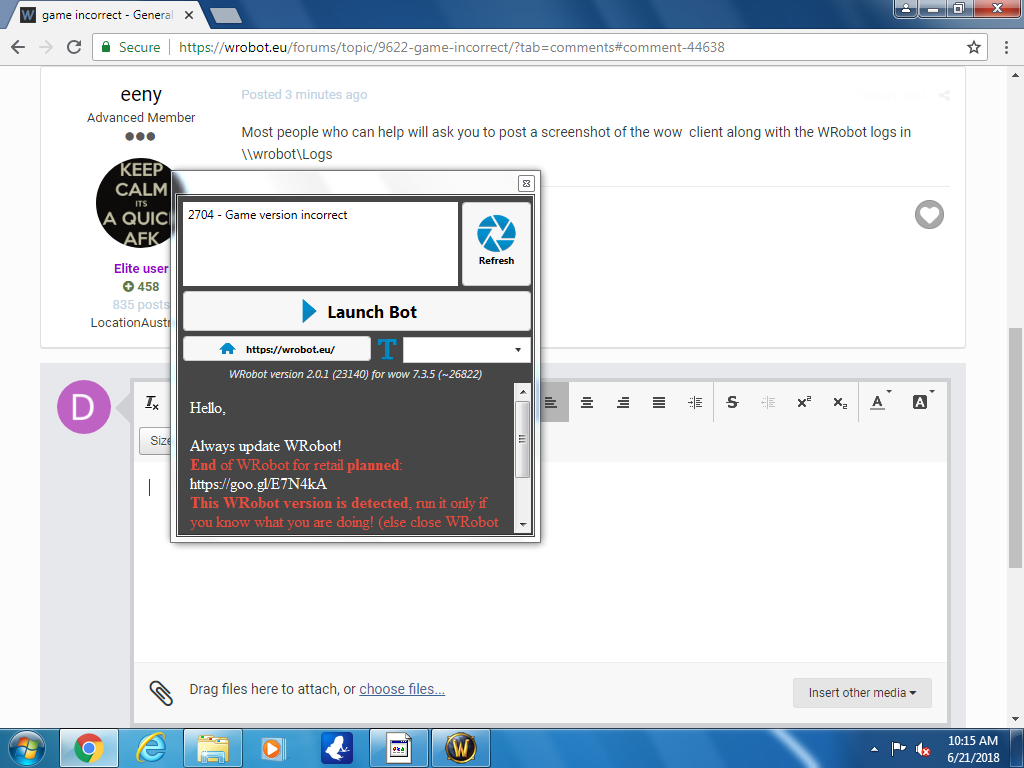
Hi guys ive downloaded wbot got the keyt everything but as soon as i run it and open wow like it asks me to it says game incorrect running a 3.3.5 private server if someone could just help me out please will appreciate it alot
 i have the key everything like im saying as soon as i run wow it give me that game incorrect
- 120 comments
- 6 reviews
please someone advise me ive got my key just want to know how to run on 3.3.5 private server says game incorrect- 120 comments
- 6 reviews
ho how can i get it to run on 3.3.5 private server got the key but says game incorrect- 120 comments
- 6 reviews