qmsca
Members
-
Joined
-
Last visited
Everything posted by qmsca
-
+1
-
I tried many different settings. There are also problems with the path, flying up (to my point) then trying to ground. Please tell me what I'm doing wrong HotSpots <Vector3 X="2481.813" Y="-3522.441" Z="286.5764" Type="Flying" /> <Vector3 X="2514.821" Y="-3481.493" Z="281.7371" Type="Flying" /> <Vector3 X="2546.404" Y="-3438.374" Z="276.7788" Type="Flying" /> <Vector3 X="2574.107" Y="-3393.203" Z="270.0948" Type="Flying" /> <Vector3 X="2598.935" Y="-3346.462" Z="260.7995" Type="Flying" /> <Vector3 X="2619.543" Y="-3298.458" Z="248.0141" Type="Flying" /> <Vector3 X="2639.76" Y="-3250.717" Z="235.5038" Type="Flying" /> <Vector3 X="2658.702" Y="-3202.537" Z="223.3831" Type="Flying" /> <Vector3 X="2676.775" Y="-3153.945" Z="211.6917" Type="Flying" /> <Vector3 X="2693.06" Y="-3104.447" Z="201.0863" Type="Flying" /> <Vector3 X="2706.372" Y="-3053.44" Z="191.6962" Type="Flying" /> <Vector3 X="2709.769" Y="-3002.829" Z="179.2333" Type="Flying" /> <Vector3 X="2690.265" Y="-2956.524" Z="162.1839" Type="Flying" /> <Vector3 X="2687.121" Y="-2952.012" Z="160.2633" Type="Flying" />
-
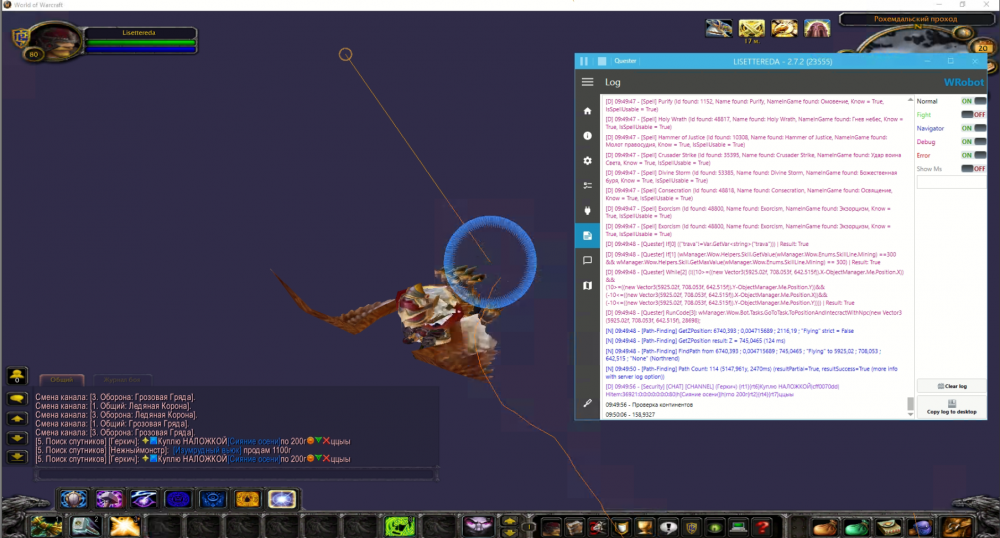
This shows the continent where I am now. Need a continent of the point where the character is moving There is an idea to check NPCDB or TaxiDB for the nearest one and look at the continent there, but I don't like the optimization of this method
-
Sorry for my English. Is it possible to find out the continent of an arbitrary point?
-
I apologize for my English, I write through an interpreter. The bot kills mobs, collects things when a full bag it sells bad things and flies to send what I've added to the mailing list. Is it possible to make it fly send when the bag is filled with only good items(from the mail list) and not every time it is filled with garbage.