Tartarbinks
Members
-
Joined
-
Last visited
Everything posted by Tartarbinks
-
Ill get back to you on supplying a full log.
-
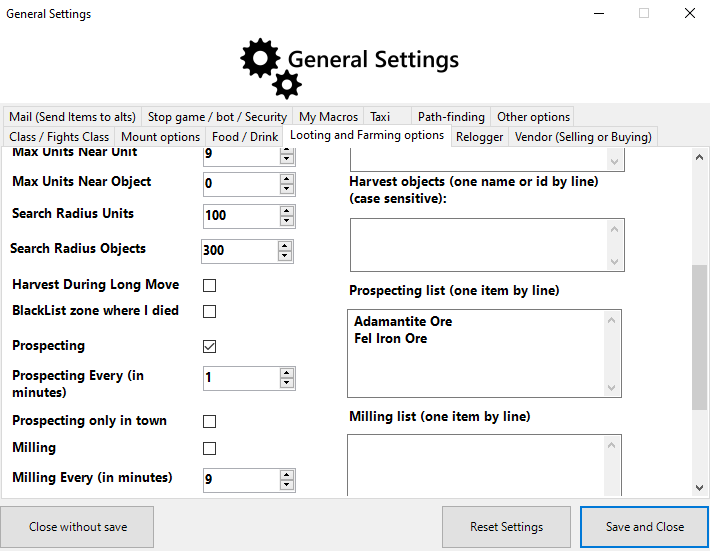
Hello. I am trying to prospect some Adamantite Ore and Fel Iron Ore automatically on the bot, but it is not fully starting. I Have entered the ore names etc into the advanced settings for prospecting and in many different ways but it will still not start. I also disabled all addons etc and relogged on the account and Wrobot. I'll post a picture of my settings and the logs generated. Hopefully I am just dumb and missed something. My JC is level 325 and I am able to prospect those ores manually. Any additional info I can provide if asked for. Log: 01:19:46 - [Prospecting] In progress[D] 01:19:46 - [Spell] Prospecting (Id found: 31252, Name found: Prospecting, NameInGame found: Prospecting, Know = True, IsSpellUsable = True)01:19:46 - [Prospecting] Finished.01:19:47 - Session statistics: