Skip to content
View in the app

A better way to browse. Learn more.

WRobot

A full-screen app on your home screen with push notifications, badges and more.

To install this app on iOS and iPadOS
  1. Tap the Share icon in Safari
  2. Scroll the menu and tap Add to Home Screen.
  3. Tap Add in the top-right corner.
To install this app on Android
  1. Tap the 3-dot menu (⋮) in the top-right corner of the browser.
  2. Tap Add to Home screen or Install app.
  3. Confirm by tapping Install.

marco9555

Members
  • Joined

  • Last visited

  1. Yes i tryed, but Google directs me in different things 😞 @Ordush
  2. Hi all !! im searching a solution for "Connection not allowed by ruleset (2)" issue whit proxycap software ... (ip buyed from https://www.proxiesforyou.com/) first time i try to login warcraft It was stuck on authentication, then i find the solution = swich from http proxy to socks5 and i think problem was fixed. then i login agin and the proxycap error log say "Connection not allowed by ruleset (2)".. i used this guide 👇 pls heeeelp !! 😄
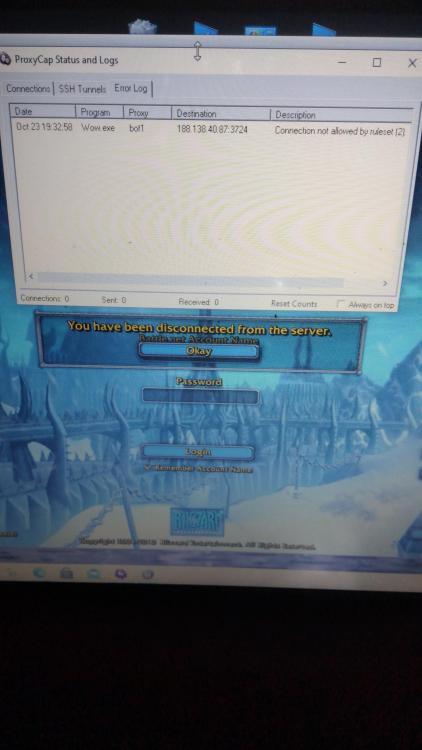
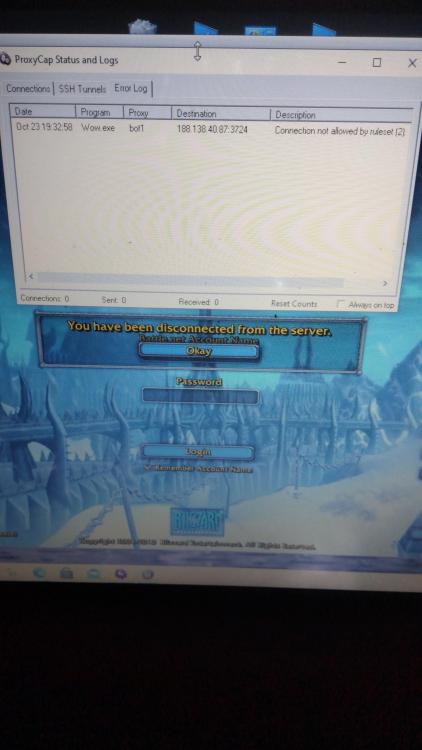
  3. hi all !! im searching a solution for "Connection not allowed by ruleset (2)" issue whit proxycap software ... (ip buyed from https://www.proxiesforyou.com/) first time i try to login warcraft It was stuck on authentication, then i find the solution = swich from http proxy to socks5 and i think problem was fixed. then i login agin and the proxycap error log say "Connection not allowed by ruleset (2)".. i used this guide 👇 pls heeeelp !! 😄
  4.    marco9555 reacted to a post in a topic: The proxy and you
  5. plss i have "Connection not allowed by ruleset (2)" isse heeelp plssss

Account

Navigation

Search

Search

Configure browser push notifications

Chrome (Android)
  1. Tap the lock icon next to the address bar.
  2. Tap Permissions → Notifications.
  3. Adjust your preference.
Chrome (Desktop)
  1. Click the padlock icon in the address bar.
  2. Select Site settings.
  3. Find Notifications and adjust your preference.