




rzu
Members
-
Joined
-
Last visited
-
Thank you for elaborating — much appreciated. Under this guidance I will just assume things are okay as long as CTM is enabled.
-
Thanks for the reply. No, I don't think that's the issue. I don't have any Anti-Virus enabled and haven't done for a while, neither do I use remote access software like TeamViewer. For example -- "Use LUA to move" is not force-enabled by Eeny's horde Quester profile, but it IS for-enabled for FNV's Alliance profiles, and also using Automaton or Gatherer. I will attempt a clean install and see if that changes anything.
-
Hi, While using "Automaton," as well as a few "Quester" profiles, WRobot enables "Use LUA to Move" even after disabling it and enabling "Use Click to Move." I have found over the course of trial and error that I believe using LUA to move is detected by most servers, therefore CTM is optimal but with Automaton and Quester profiles (even after making sure "Save general settings made by profile" is disabled, LUA movement is also enbabled after pressing Start. Any help on how to completely disable LUA movement in favour of CTM would be appreciated. Thanks.
-
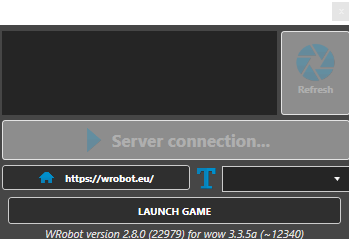
Attempting to launch the bot for 3.3.5 and I receive the message in the attached file for around 15-20 seconds. A generic Windows error sound is then produced and the window closes without error messages detailing the isuse.
-
Hi, After selecting WRotation as Product and choosing the corresponding Fight Class under General Settings, when I press the start button and go in game and engage in combat, nothing happens. In the In Game tab, the bot state seems to permanently stay "Idle." Any help would be greatly appreciated.