




- Version: All
- Product: WRobot General
- Type: Bug
- Status: Fixed
After the last update bot some Ashenvale meshes seems broken. For example, my bot can't get stight from:
Map name MPQ: Kalimdor
My Position: 1419.178, -2253.302, 89.91604, "None"
(It's a spot near lantern, just at the middle of the road)
To:
Map name MPQ: Kalimdor
My Position: 1422.504, -2253.203, 89.92475, "None"
(It's near the same lantern as well)
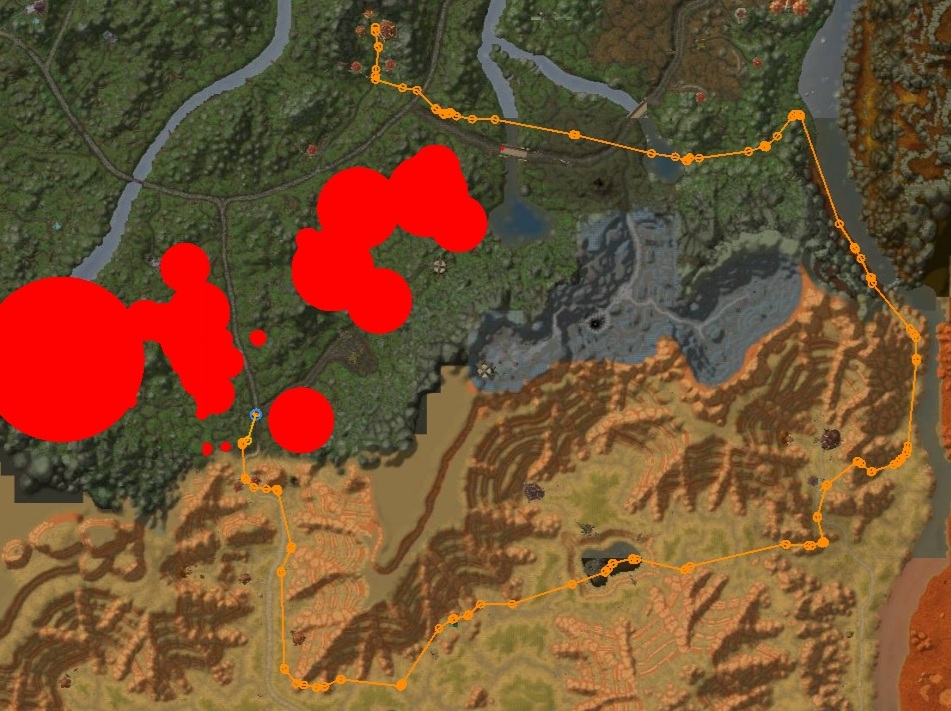
All i want is to force him move straight up that road. Instead of this he runs to the Barrens, then from the Barrens he runs to the river near the Orgimmar, runs north that river, enters Ashenvale near the Azshara and then run's to that second point.
Ashenvale is bad in general. Bot stucks in trees and roots if any around. So i have alot of blackspots there, preventing bots from stuck or die. Everything was working almost fine 2 days ago. So that's a new bug, i guess.
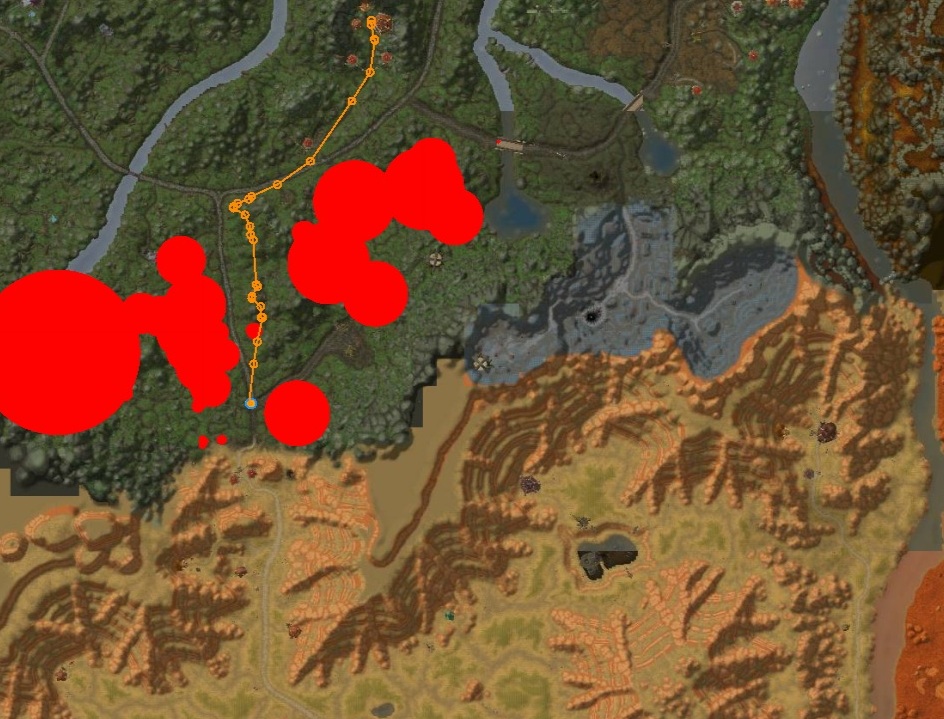
Here is 2 pictures. At the first one i'm in the first coordinates. At the second one, i'm at the second coordinates (just few meters away). Can you please add those mesh connections back? Thank you.
Recommended Comments
Create an account or sign in to comment