



Skip to content
View in the app

A better way to browse. Learn more.

WRobot

A full-screen app on your home screen with push notifications, badges and more.

To install this app on iOS and iPadOS
  1. Tap the Share icon in Safari
  2. Scroll the menu and tap Add to Home Screen.
  3. Tap Add in the top-right corner.
To install this app on Android
  1. Tap the 3-dot menu (⋮) in the top-right corner of the browser.
  2. Tap Add to Home screen or Install app.
  3. Confirm by tapping Install.

All Quests Human 1-80 Part 1 Northshire Valley 3.3.5a

(2 reviews)

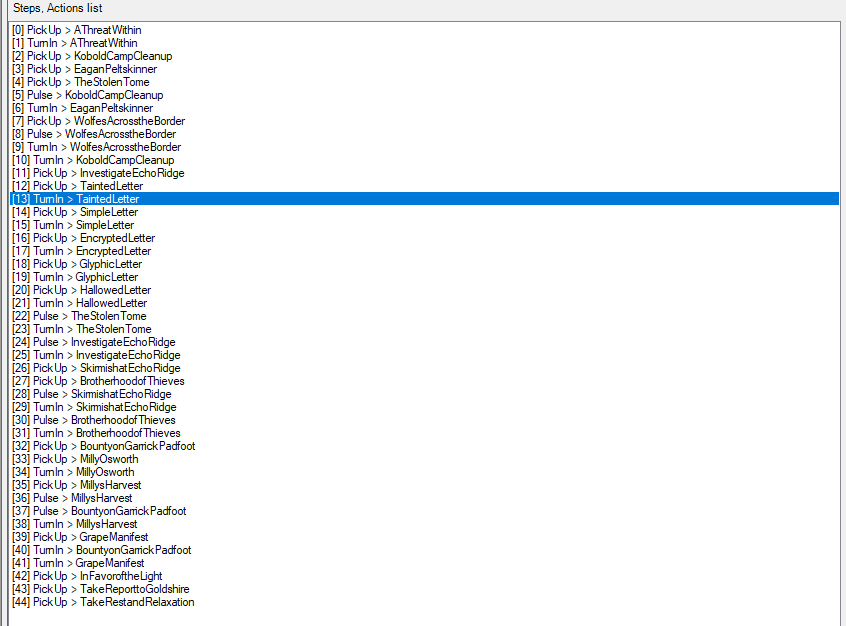
1 Screenshot

This is part 1 for all Human Quests. I will add more parts later. I will do a Quester File for every zone till the human hits level 80.

This first part is going to do all normal quests which are not class specific and will do the class quests.

You will hit level 5 or 6 if this profiled finished.

User Feedback

You may only provide a review once you have downloaded the file.

   3 of 3 members found this review helpful 3 / 3 members

[Spell] Cast (onself) Seal of Righteousness (Seal of Righteousness)

5 lvl stop

   1 of 3 members found this review helpful 1 / 3 members

Great profile. Looking forward to the rest very much ?

Account

Navigation

Search

Search

Configure browser push notifications

Chrome (Android)
  1. Tap the lock icon next to the address bar.
  2. Tap Permissions → Notifications.
  3. Adjust your preference.
Chrome (Desktop)
  1. Click the padlock icon in the address bar.
  2. Select Site settings.
  3. Find Notifications and adjust your preference.
