



Skip to content
View in the app

A better way to browse. Learn more.

WRobot

A full-screen app on your home screen with push notifications, badges and more.

To install this app on iOS and iPadOS
  1. Tap the Share icon in Safari
  2. Scroll the menu and tap Add to Home Screen.
  3. Tap Add in the top-right corner.
To install this app on Android
  1. Tap the 3-dot menu (⋮) in the top-right corner of the browser.
  2. Tap Add to Home screen or Install app.
  3. Confirm by tapping Install.

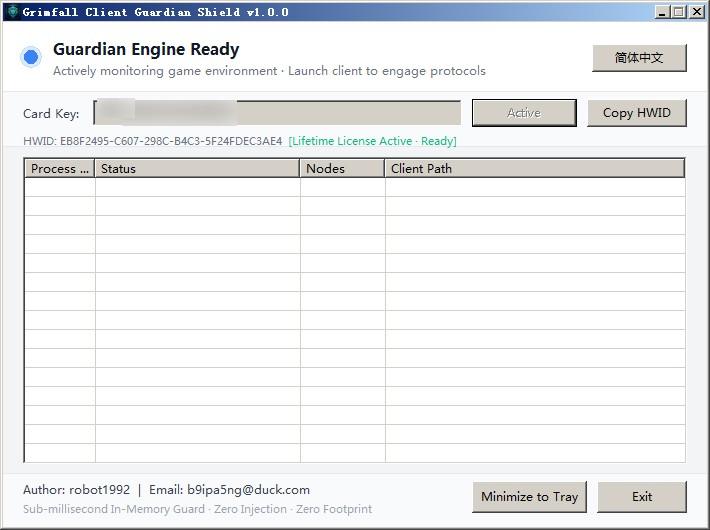
[PAID]Make WRobot work on Grimfall wow(https://www.grimfallwow.com) 1.0.0

(1 review)

1 Screenshot

    Author: robot1992
    Email:
[email protected]

Try it for free for one day: https://115202.xyz/#/?prod=prod_1789627656625

This tool just gets WR working on Grimfall.
The implementation of automation functions needs to be done by yourself through WR.


Or you can ask on the WR forum if a certain function can be implemented with WR.

 Important: Ensure you select "No DX Hook" mode during startup.

What's New in Version 1.0.0

Released

add StormMongoosePetCC.xml

User Feedback

You may only provide a review once you have downloaded the file.


🌟Working 100% 🌟

Account

Navigation

Search

Search

Configure browser push notifications

Chrome (Android)
  1. Tap the lock icon next to the address bar.
  2. Tap Permissions → Notifications.
  3. Adjust your preference.
Chrome (Desktop)
  1. Click the padlock icon in the address bar.
  2. Select Site settings.
  3. Find Notifications and adjust your preference.
