robot1992
Members
-
Joined
-
Last visited
Files posted by robot1992
-
Author: robot1992
Email: [email protected]
Try it for free for one day: https://115202.xyz/#/?prod=prod_1789627656625
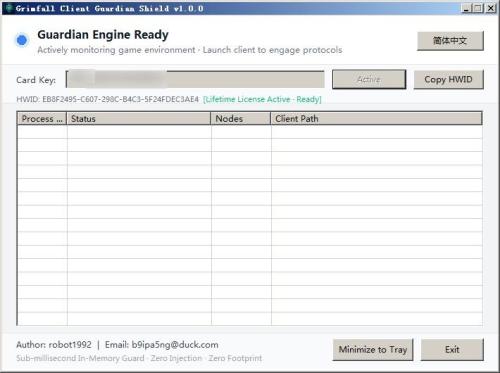
This tool just gets WR working on Grimfall.
The implementation of automation functions needs to be done by yourself through WR.
Or you can ask on the WR forum if a certain function can be implemented with WR.
Important: Ensure you select "No DX Hook" mode during startup.- 1 Downloads
Updated -
- 17 Downloads
Updated -
Author: robot1992
Email: [email protected]
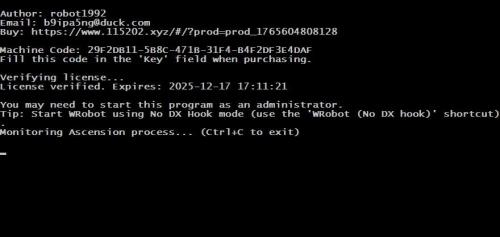
You may need to start this program as an Administrator.
update version 3.0
Add optional v4 version (try fix animate crash, or you can try reduce foreground FPS.)
Support Live and Epoch COA. https://ascension.gg
Try it for free for one day: https://115202.xyz/#/?prod=prod_1765604808128
This tool just gets WR working on Ascension.
The implementation of automation functions needs to be done by yourself through WR.
Or you can ask on the WR forum if a certain function can be implemented with WR.
Ascension WRobot Fix: Setup & Usage Guide
Part 1: License Activation
Run ascension_wrobot_fix.exe.
Copy the Machine Code displayed in the window.
Visit the registration page: Click Here.
Select the Free Duration option.
Paste your Machine Code into the field labeled License Key.
Enter your email address and click Checkout.
Click Complete Payment to finish (no charge).
Part 2: How to Start
Close and reopen ascension_wrobot_fix.exe.
Log in to the Ascension game client.
Launch WRobot.
Important: Ensure you select "No DX Hook" mode during startup.
- 216 Downloads
- 8 Comments
Updated -
Correcting the issue of inability to properly cast spells in Turtle WoW,
fixing spell names in Turtle WoW
processing the names of learned skills. Ensuring spells can be cast correctly.
version 2.0 has updated, now it can fix all spells.
version 3.0 has updated
version 4.0 has uploaded (paid version) 2026/3/5
Try it for free for one day: https://www.115202.xyz/#/?prod=prod_1772634470812
The key to bind the WRobot, with the key filled in with the WRobot Key first 10 digits.
fix topic:
- 312 Downloads
- 31 Comments
Updated