



Skip to content
View in the app

A better way to browse. Learn more.

WRobot

A full-screen app on your home screen with push notifications, badges and more.

To install this app on iOS and iPadOS
  1. Tap the Share icon in Safari
  2. Scroll the menu and tap Add to Home Screen.
  3. Tap Add in the top-right corner.
To install this app on Android
  1. Tap the 3-dot menu (⋮) in the top-right corner of the browser.
  2. Tap Add to Home screen or Install app.
  3. Confirm by tapping Install.

DH Vengeance PVP/PVE 1.1

(0 reviews)

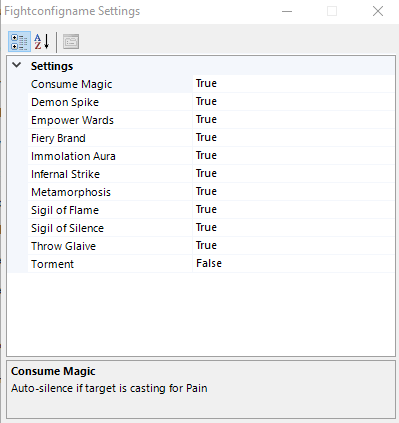
Here is my personnal vengeance fightclass, its not optimized but working really well in arena/bg and in raid.
 

411fcf2773da50565fc1fe4a432272dc.png

f0d7cbd8f908086ec04e47486cb1c1e8.png


Have fun, if you have any request, post here i'll try to do my best to modify my FC to fits your requirements :) btw you need to change some value in FC editor.

What's New in Version 1.1

Released

patched some condition errors.

User Feedback

Recommended Comments

bk4ever

Members

ty so much for your work , i have been testing it for some time now , and some points i noticed 

demon spikes wont activet and fek devastation and soul carver , 

for demon spikes i can pass but fek devastation is needed 

and soul carver is more important coz it give alot of leech to tank 

and that what i think is needed 

still ty so much for this file i wont stop using it , insted i will try commenting to help ur get more better 

:biggrin:

Account

Navigation

Search

Search

Configure browser push notifications

Chrome (Android)
  1. Tap the lock icon next to the address bar.
  2. Tap Permissions → Notifications.
  3. Adjust your preference.
Chrome (Desktop)
  1. Click the padlock icon in the address bar.
  2. Select Site settings.
  3. Find Notifications and adjust your preference.