Droidz
Administrators
-
Joined
-
Last visited
Everything posted by Droidz
-
Hello, You have problem of connection with mmorobot server: [E] 20:46:45 - dfsg gfds gfds#2: The underlying connection was closed: A connection that was expected to be kept alive was closed by the server. Try to disable your antivirus/firewall. If problem is not solved read this guide: If after, you get again this error message, tell me if you have file "WRobot.exe.config" in your wrobot folder.
-
Hello, If you not typing a player name, WRobot follow the leader of the group.
-
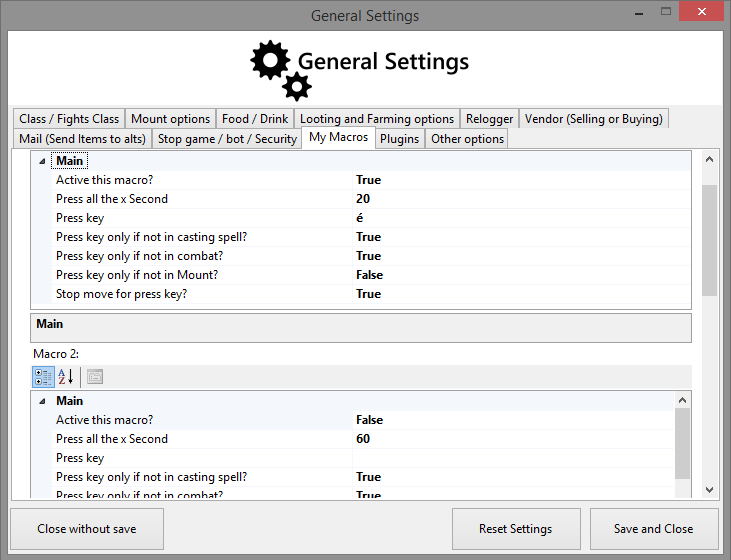
Bonjour, il y a plusieurs possibilités, la plus simple est de: Aller dans l'onglet "General Settings". Cliquez en bas à droite sur "Enter advanced settings...". Allez dans l'onglet "My Macros". Dans "Macro 1" mettre l'option "Active this macro" à "True", "Press all the x Second" à 20 par exemple (pour activer toutes les 20 secondes la macro), et dans "Press key" mettre la touche du raccourci clavier qui lance le macro ingame, par exemple "é" qui correspond au slot 2 de la barre de sorts. Résultat: Cliquez sur le bouton en bas à droite "Save and Close". Sélectionnez le produit "Custom Profile" dans l'onglet "Main" et le profil "Anti Afk" dans l'onglet "Product Settings" (vous pouvez télécharger le profil anti afk ici: ).
-
Hello, Thank you for suggestion. I'll add this feature in product "Schedule".
-
Hello, No, but in "Party" product settings you can select player at follow by name.
-
Hello, With quest type "UseItemOn" you need to add target. In the zone where you need to used the item, he don't have an game object or npc?
-
Hello, This problem is probably caused by the Fightclass. Can you try with another fightclass and tell me the name of used fightclass please. Thanks.
-
Hello, Read this, if problem is not resolved please send me your log file (in "Logs" folder):
-
Hello, Can you share your log file please. Do you have edit settings? (default settings works for Dalaran fountain)?
-
Hello, Add objects id in the blacklist. Go to tab "General Settings". Go to "Enter advanced settings..." Go to tab "Looting and Farming options" In the textbox "Don’t harvest object (one id by line)" copy this id: 209349 221542 214510 ( http://www.wowhead.com/object=209349 , http://www.wowhead.com/object=221542 , http://www.wowhead.com/object=214510 ) (object id is the number than contain wowhead url, in this url wowhead.com/object=209349 the id is 209349 and is an object)
-
Quand votre personnage sort de la monture (démonte), c'est instantané? Quand vous rentrez cette commande dans le chat votre personnage sort de la monture: /dismount ?
-
Hello, I have improve system, wait next update.
-
Hello, I have try to reproduce bug and check code, It is not possible for me. Are you sure ? can you share your log please?
-
I cannot reproduce this bug, if you can send me log of an bugged wrobot session. Thanks.
-
Hello, This depend how is setting this spell in your fightclass, can you share your fightclass, I'll look this.
-
Hello, Condition "Me In Cast" return true if player launching spell or using an item.
-
-
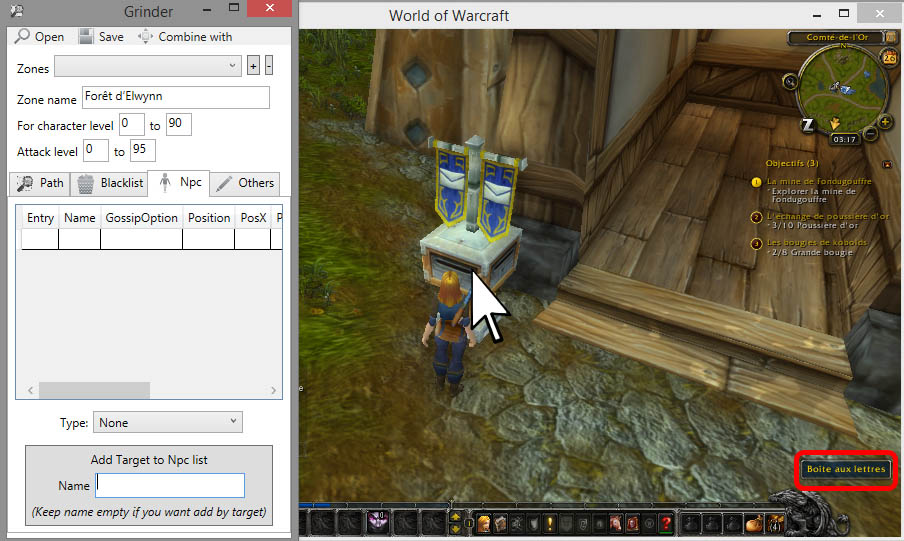
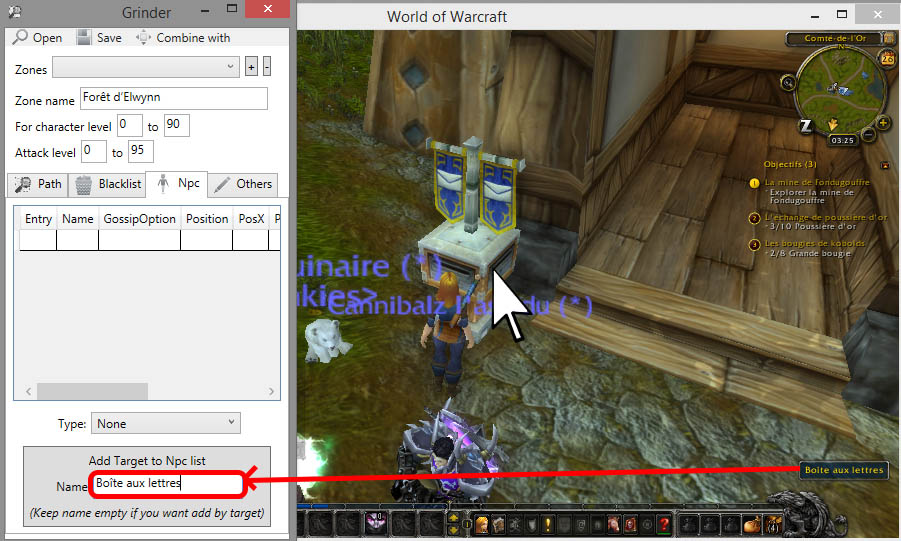
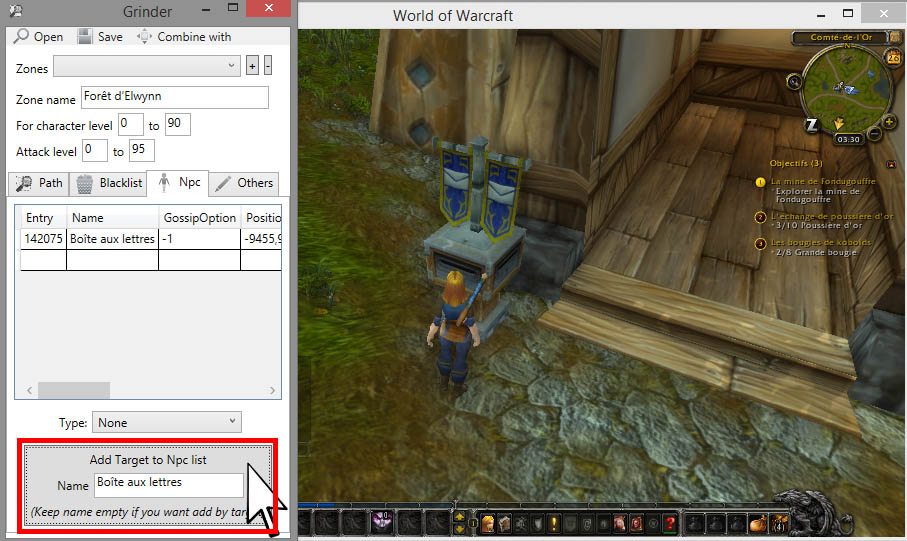
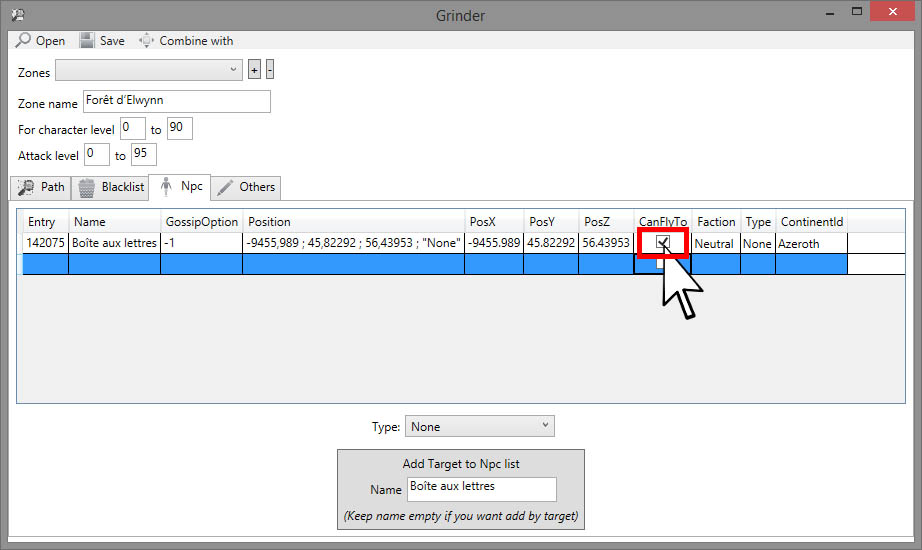
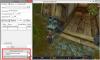
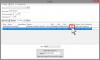
How to add Mailbox In the "profile creator" tool go to tab "Npc", in game go near mailbox and put your mouse over the mailbox to get the name: Write the name of mailbox in WRobot (case sensitive): Click on button "Add Target to Npc list...", an item is added in the table: If you are outdoor or if you can fly to the mailbox, don't forget to activate option "CanFlyTo" of added line: (This works also for add mailbox with "Npc DB" tools, to delete an mailbox just select line and click on key "Del" of your keyboard)
-
Je viens de faire une mise à jour pour essayer de fixer ce problème, pouvez vous me dire si ça fonctionne ou pas? Merci.
-
Hello, If you can check if with new update and tell me if problem is solved. Thank.
-
Du coup plus de problème avec Golem et mammouth combiné?
-
-
Bonjour, Je pense que votre problème est causé par un logiciel que vous avez installé sur votre ordinateur (un logiciel style teamspeak). Essayer avant de lancer WRobot de fermer tous les logiciels non utiles. Vous pouvez également essayer de changer la version de Directx dans Wow. Si le problème persiste, pouvez-vous partager votre fichier journal (qui se trouve dans le dossier "Logs"). Merci.
-
Hello, You can found an tuto and
-