xerian
Members
-
Joined
-
Last visited
-
-
Set your talents like on the screenshot MMv2.xml
-
-
The problem is resolved!! Gr8 job, thank you!;)
-
Someone resolved problem?
-
I got the same problem on legion server 7.1.5 :/ "Can't queue for Random Battleground while in another Battleground queue" I tried everything u said above and nothing help. It seems to no matter which patch or server we are playing, we all have the same issue. Any ideas how to fix it?:P
-
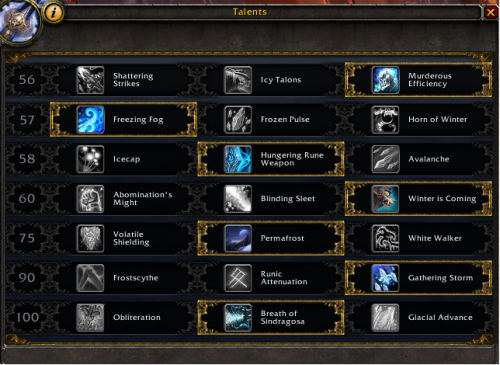 Set your talents like on the screenshot
 -
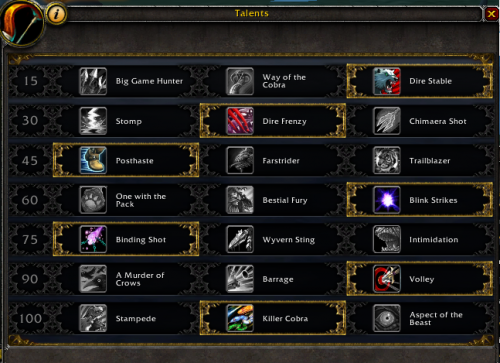 Simply Hunter's fight class. (Using spirit beast heal) Set your pet at call pet 3. Hunter BM 7.1.5 v1.xml
 -
-
I have problem when i starting bot it shutdowns and when i start again shows "in use" . I tried reinstall bot but again shutdowns it
-
Yes i tried
-
I did that: In the chat i paste /script SetRaidDifficulty(1); and nothing. Tied numbers 1-4
-
I think yes :D
-
Private 6.2.3
-
Don't work by WowApi
-
I can't reset instance by plugin resetinstances. The option "reset instances" don't work on this server. Only work if i swap 25/10. @Dreamful I'm very green, could you send me a screenshot how to do it? or explain me?
-
Hi, Can someone make a plugin which will be swaping between mode 25/10 ppl, when the char will left instance?