




octevius
Members
-
Joined
-
Last visited
-
Im getting this message in launcher game version incorrect
-
this is happening for me right now, Game version is not the same or something.
-
 octevius reacted to a comment on a file:
(Updated) 100-110 Stormheim Grinder - Shipwreck Coast - Crab Genocide (Skinnable)
octevius reacted to a comment on a file:
(Updated) 100-110 Stormheim Grinder - Shipwreck Coast - Crab Genocide (Skinnable)
-
octevius reacted to a comment on a file:
(Updated) 100-110 Stormheim Grinder - Shipwreck Coast - Crab Genocide (Skinnable)
-
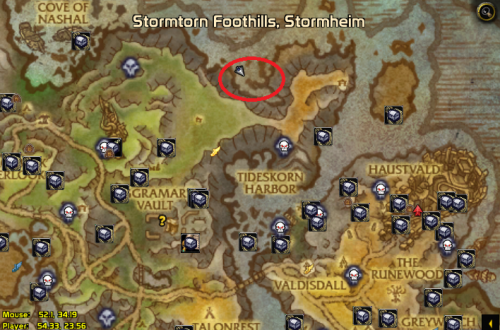 Lol seem that there arent any brimstone destroyers here, did they remove them? lol so confused. ( old profile )
 -
sweet thank you kindly : D
-
double post sorry.
-
Hey could you upload the original file you had from a while back, Ide like to farm the brimestone destroyers at the spot you originally had the bot set up at.
-
a lot of time it doesnt get close enough to the water and just keeps casting over and over.
-
version 2, its going to the island where the elites ...
-
-
Thanks for the updated version, its working great on my Veng DH.
-
I think it would run better if those birds werent there otherwise melee class just gets stuck constantly
-
octevius reacted to a comment on a file:
(Updated) 100-110 Stormheim Grinder - Shipwreck Coast - Crab Genocide (Skinnable)
-
doesnt run very well on my dh