




Sangomma
Members
-
Joined
-
Last visited
-
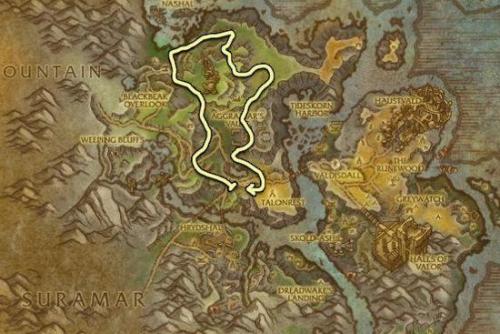 Issue is that there are quite a few nodes located all around that mountain area. I'll keep an eye out if it happens again and update you with a screenshot. It seemed to really only be 2 or 3 locations that messed up and blocked the bot. Regardless I'll let you know if I catch it again.
 -
-
What they are trying to say is around the most northern part of the Non-nithogg route there are or were leystone looking faults on the mountain side... I think it might of been a world quest I'm not sure as I run the bot on a level 101...But what happened around these spawn points was the bot would try to climb the nodes as they are quite long and often get stuck or simply fall off the cliff and have blockages. Mine did that several times until I blacklisted each specific node. I haven't had a problem since. Truly a great profile route. Thank you for your time and dedication!
