HighlineTV
Members
-
Joined
-
Last visited
Everything posted by HighlineTV
-
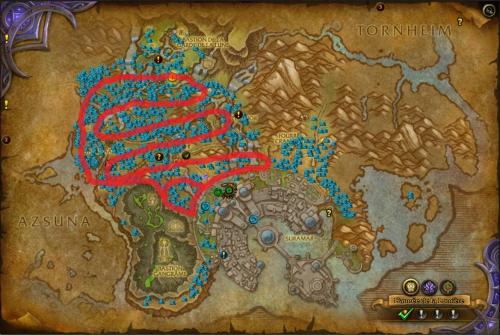
 Cant wait for the next level pack for horde! Good jobI LOVE YOU DROIDZ! <3Hey. I have the problem that my bot account als already at the same account with my main wow. When using the relogger, he logs into the main account and cant select the right account. My main account is WoW#4 but the relogger will not select WoW#6I dont care about this. Some times i have more then 700 auctions per day so im always unbanned. (Idk why bannwave doesnt hit me). Im also using this bot 24/7 at Gathermode for farming Herbs and Ores.Dude... Boting on 64bit system... a dream will come true *-*Welcome guys, What u can find here is my first farming profile what i release for Wrobot. The main reason why is create Profiles and Plugins is, every one who paid a bot licenze have a right for free custom profiles without paying for it. I hope i can do something for the comunity in spending this peace of Gold. I was performing on other bot forums before they was closed by blizzard so if you found a Bug or a request, u can post it below. When i find the time for this, i will relase more in the future. And now some informations about my work. [N]Sturmheim - BB KK.xmlNice, i bought today this bot. Hopefully im not banned for the next bot release