




Lance8773
Members
-
Joined
-
Last visited
-
-
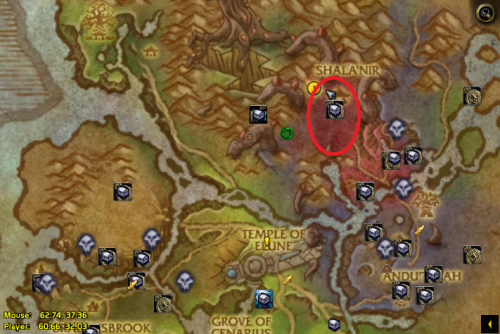 If you have mining on your character while running this make sure that you blacklist the leystone node (or the area around it) at 63.5, 36 as it can lead to the bot getting stuck at a wall it cannot climb. Other than this I have had no problems with it and have farmed thousands of dreamleaf with that one node being the only issue :)
