Skip to content
View in the app

A better way to browse. Learn more.

WRobot

A full-screen app on your home screen with push notifications, badges and more.

To install this app on iOS and iPadOS
  1. Tap the Share icon in Safari
  2. Scroll the menu and tap Add to Home Screen.
  3. Tap Add in the top-right corner.
To install this app on Android
  1. Tap the 3-dot menu (⋮) in the top-right corner of the browser.
  2. Tap Add to Home screen or Install app.
  3. Confirm by tapping Install.

sequoia93

Members
  • Joined

  • Last visited

  1. As far as I can tell, it seems to not be posting any partial stacks.
  2. I should note I tried disabling all addons.
  3. I am having a problem with the auction bot where it will not post small radiant shards. I am currently trying to use it with Runecloth and Small Radiant Shards. It works well with the Runecloth but will not post SRSs to sell. The only difference in settings between the two is the SRSs are sold individually (no stacks). The Runecloth seems to work fine in stacks of 20.
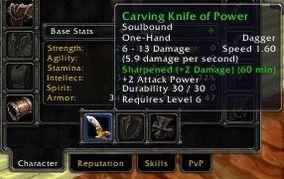
  4. Just tried, I set offhand to True but it is still only applying to the main hand weapon.
  5. Works well! Any chance of making if apply to off hand weapon as well? Its handy for rogue poisons.

Account

Navigation

Search

Search

Configure browser push notifications

Chrome (Android)
  1. Tap the lock icon next to the address bar.
  2. Tap Permissions → Notifications.
  3. Adjust your preference.
Chrome (Desktop)
  1. Click the padlock icon in the address bar.
  2. Select Site settings.
  3. Find Notifications and adjust your preference.