




stampoo
Members
-
Joined
-
Last visited
Everything posted by stampoo
-
I confirm, 15 minutes ban with alt-f4 while the bot is running. Just before that, FightClass stopped working. As well as on January 24, 2019, I grabbed the ban forever using my own grinding profile in Nagrand, around 13: 00-14: 00, I will not attach the log (formatted the disk with all the contents with anger). He also grabbed the ban forever 09/01/19 - 01/15/19 (I do not remember exactly when, but also from about 13:00 - 15:00), also a grinding profile, only in Terrokar Forest. Warmane, Outland. If it is necessary for statistics or something like that, then I can write nicknames, locked accounts, profiles, plugins, fightclasses, addons using in ban wave).
-
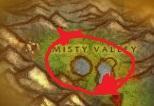 Simple grinder 37-43, if you turn on to collect ore, then a good farm of iron and silver. Tested 2.4.3 Upd. test. Added seller, only for sale (food \ water, it is desirable to buy separately in another place, if required), on the way to him so there is some iron.