




front243
Members
-
Joined
-
Last visited
-
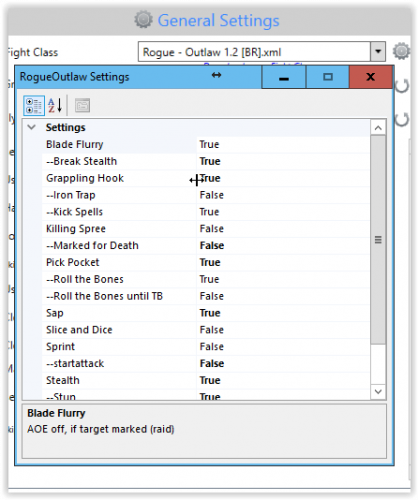 Works well at lower levels. I have used it from 10-36 (which I am currently). Those levels have been a breeze!
 -
Wrotation = the rotation bot. Fight Class = the specific class you play, like Windwalker Monk. Fight Classes are used by Wrotation.
-
I noticed an error in the updater. This happens every time I run it: 12:30:17 - error: System.Net.WebException: The remote server returned an error: (403) Forbidden. at System.Net.WebClient.DownloadFile(Uri address, String fileName) at System.Net.WebClient.DownloadFile(String address, String fileName) at UpdateManager.UpdateManager.DownloadThread() 12:30:17 - Add file: Bin/wManager.dll 12:30:17 - 1 file(s) need to be updated 12:30:17 - Check for updated files.
-
I have just downloaded wrobot for the first time. I updated the application and tried to reinstall twice. What happens is that immediately after I start the bot the splash screen appears and windows says that Wrobot has stopped working. I am using Windows 7 64 bit and I am running Wow in 32-bit mode. I tried right clicking the bot and run as administrator but nothing works. I even tried running it in Windows XP compatibility mode.