




raffaerr
Members
-
Joined
-
Last visited
Everything posted by raffaerr
-
-
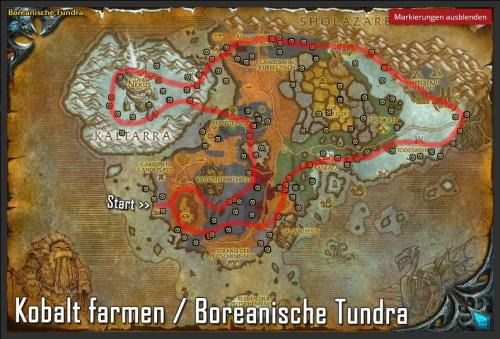 Very nice, thank you. Maybe not an issue of your route but the ore in the water jesus he cant dig that.
 -
Aight got banned for fishing on K3. Care guys. Is it dumb to fish 12 hours straight? Any tips for the future ? I had a spot where nobody could see me but obv they checked it somewhere else.
-
Thanks i bought it and im very happy.
-
Hey im willing to buy this bot if the fishing works. I started the bot hes fishing but doesnt click when a fish appears. Any suggestions? Is there a list of tutorials i have to check? Im using the Vanilla version on a private server. Thanks!

