Deathguardjamie
Members
-
Joined
-
Last visited
Files posted by Deathguardjamie
-
Okay gais and other minorities, Here we have a simple Redridge quester Starting in Three corners and moving its way over to the town - It's very early days in but there is about 8-10 quests - I'm going to be working towards publishing at least 1 Questing profile a week, so please stay tuned! If you'd like to help please PM me as theres lots of little jobs people could be doing to make this less grueling.
Please make sure you leave feedback! It's important to the development of your questing profiles!- 248 Downloads
Updated -
- 160 Downloads
Updated -
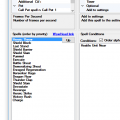
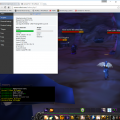
Please check screenshots for exact details of all abilities and spells.
- 838 Downloads
- 2 Comments
Updated -
Okay so basic disc priest, if you want to add spells open in Tools > create fight class and add spell name with Correct spelling, this includes Capitals. Then from top being the last priority spell to bottom being first, assign it to the spot you want it, then you can add spell conditions if you please.
Thanks for looking, Hope you enjoy!- 616 Downloads
Submitted -
Start point is at Morgans Vigil and will Sell at the Local vendor there.
No Mailbox present at the location.
Just for reference Mithril ore and Thick/Rugged Leather are very abundant here.- 534 Downloads
Submitted