



Skip to content
View in the app

A better way to browse. Learn more.

WRobot

A full-screen app on your home screen with push notifications, badges and more.

To install this app on iOS and iPadOS
  1. Tap the Share icon in Safari
  2. Scroll the menu and tap Add to Home Screen.
  3. Tap Add in the top-right corner.
To install this app on Android
  1. Tap the 3-dot menu (⋮) in the top-right corner of the browser.
  2. Tap Add to Home screen or Install app.
  3. Confirm by tapping Install.

WRobot - 1 session

(2 reviews)
From 19.99 EUR/6 months

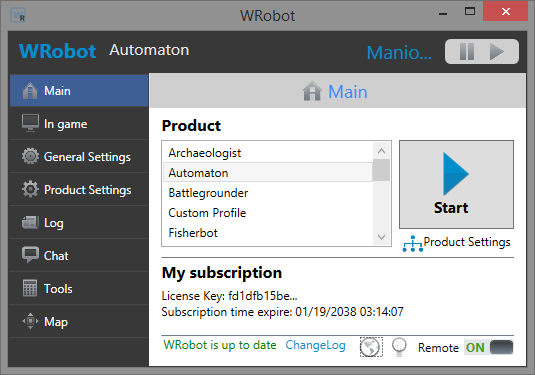
Gives you access to WRobot and all its products.

- 6 Months, Yearly or 5 Years subscription to running 1 session at the same time.

- If you have any problems with, or need more information about your purchase, you can contact the WRobot Team.

- After you complete your purchase, you can find your license key here.

- At the end of subscription time, new invoice is automatically generated, but you are not forced to pay (payment is not automatically renew, you need to paid manually).

- You can download WRobot for Wow private server here, and get more informations and support of WRobot for private server here .

- It's a personal subscription, you do not have the right to share your key (if you share your key, she will be deleted and your account banned).

- WRobot don't works on official servers.

- Before purchase, please test if one of the available versions of WRobot work on your Wow Server (a trial version is available), no refund will be accepted.

Product Reviews


   4 of 14 members found this review helpful 4 / 14 members

Great!

   2 of 7 members found this review helpful 2 / 7 members

nice!

Account

Navigation

Search

Search

Configure browser push notifications

Chrome (Android)
  1. Tap the lock icon next to the address bar.
  2. Tap Permissions → Notifications.
  3. Adjust your preference.
Chrome (Desktop)
  1. Click the padlock icon in the address bar.
  2. Select Site settings.
  3. Find Notifications and adjust your preference.