Translations
Download or share Translations here.
11 files
-
📝 Overview / 简介
This is a comprehensive, professionally polished, and high-quality Simplified Chinese (简体中文) translation language pack for WRobot.
本语言包针对 WRobot 进行了全量 579 个词条的精校与高质量本土化,彻底修复原版陈旧机翻。
---
✨ Key Features & Improvements / 主要改进
- Fixed Machine Translation Errors / 彻底修复严重错翻:
- none: Corrected from "位置" to "无"
- In progress: Corrected from "进入" to "进行中"
- Use this character: Corrected from "使用此游戏" to "使用此角色"
- XP/HR & Honor/HR: Corrected from "经验/共计" to "经验/小时" & "荣誉/小时"
- Smelting here: Corrected from "再次熔炼" to "在此处熔炼"
- Strand of the Ancients: Corrected from "古怪的" to official BG name "远古海滩"
- Official WoW Terminology / 严格对齐魔兽世界国服官方译名:
- All battlegrounds aligned (战歌峡谷, 阿拉希盆地, 奥特兰克山谷, 风暴之眼, 远古海滩, 征服之岛, 吉尔尼斯之战, 双子峰, 寇魔古寺, 深风峡谷).
- Accurate in-game terms (灵魂医者, 选矿, 研磨, 旅行者的苔原猛犸象, 随身邮箱 MOLL-E, 埃匹希斯水晶 等).
- 100% Coverage / 全面覆盖:
- Cleaned up untranslated lines, corrected typos ("登陆" -> "登录"), and preserved all original placeholders.
---
🛠 How to Install / 安装方法
1. Download Chinese.xml. (下载附件中的 Chinese.xml)
2. Place Chinese.xml into your WRobot folder: (将文件放入以下目录)
WRobot\Data\Lang\Chinese.xml
(If the Lang folder does not exist, create it / 若没有 Lang 文件夹请手动新建)
3. Open WRobot\Settings\lang.txt with Notepad and change its content to: (记事本打开 Settings\lang.txt,内容改为:)
Chinese.xml
4. (Optional) You can also copy Chinese.xml to WRobot\Data\Lang\Default.xml.
5. Restart WRobot.exe and enjoy! (重新打开 WRobot 即可显示中文)- 44 Downloads
Submitted -
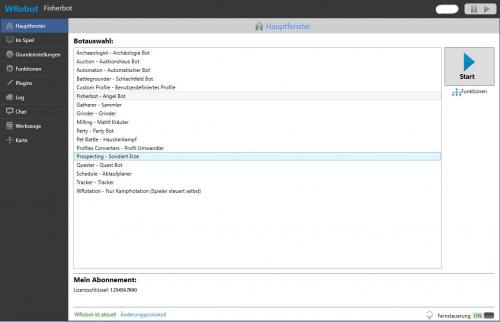
A translation for all german users.
Hallo zusammen,
hier meine Übersetzung für die WRobot Version 1.8.4.
Leider lies sich nicht alles übersetzen.
Bei groben Übersetzungsfehlern oder sinnlosen übersetzungen gebt mir bitte Bescheid!
Ansonsten viel Spass damit
Einfach in den WRobot Ordner kopieren:
Beispiel: X:\WRobot\Data\Lang\deutsch.xml
und Sprache vor dem starten auswählen:
Fla5hback
- 320 Downloads
- 3 Comments
Updated -
- 30 Downloads
- 1 Comments
Submitted -
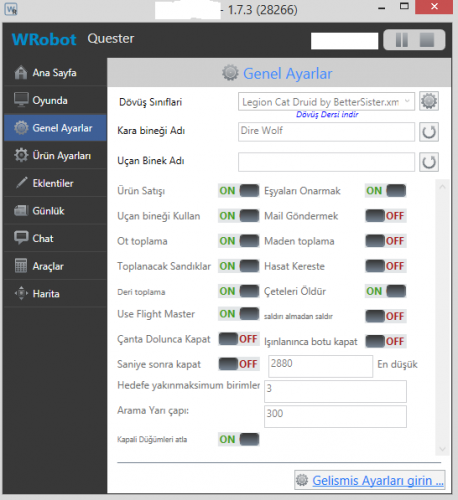
Merhabalar arkadaşlar. Türkçe dil desteği olmadığından kendim için çevirdiğim dil dosyasını sizlerle paylaşmak istedim. İndirdiğiniz turkish.xml dosyasını WRobot\Data\Lang\ klasörü içine atın botu çalıştırdığınızda, botu başlatmadan önce Language kısmındaki default yazan yeri turkish yaparak botu türkçe olarak kullanabilirsiniz.
- 62 Downloads
- 1 Comments
Submitted -
- 1423 Downloads
- 1 Comments
Updated -
Tradução do WRobot feita por mim :)
Reportem erros se possível! Obrigado
Aproveitem- 1803 Downloads
- 7 Comments
Updated -
Hi together,
here is my newest Translation File for German Users. Have Fun
d.large- 742 Downloads
- 3 Comments
Updated -
Traduccion completa al Castellano,(España), la iré modificando según salgan más cosas. Espero que les sea de ayuda
Editada 3 veces.
No os olvideis de ponerla en Wrobot/Data/Lang/(translate.xml)- Español
- castellano
- spanish
- latino
-
Tagged with:
- 853 Downloads
- 6 Comments
Updated -
- 75 Downloads
Submitted -
Traduction du bot entiérement en français
Translation bot entirely in French- 1578 Downloads
- 6 Comments
Submitted