




Skip to content
View in the app

A better way to browse. Learn more.

WRobot

A full-screen app on your home screen with push notifications, badges and more.

To install this app on iOS and iPadOS
  1. Tap the Share icon in Safari
  2. Scroll the menu and tap Add to Home Screen.
  3. Tap Add in the top-right corner.
To install this app on Android
  1. Tap the 3-dot menu (⋮) in the top-right corner of the browser.
  2. Tap Add to Home screen or Install app.
  3. Confirm by tapping Install.

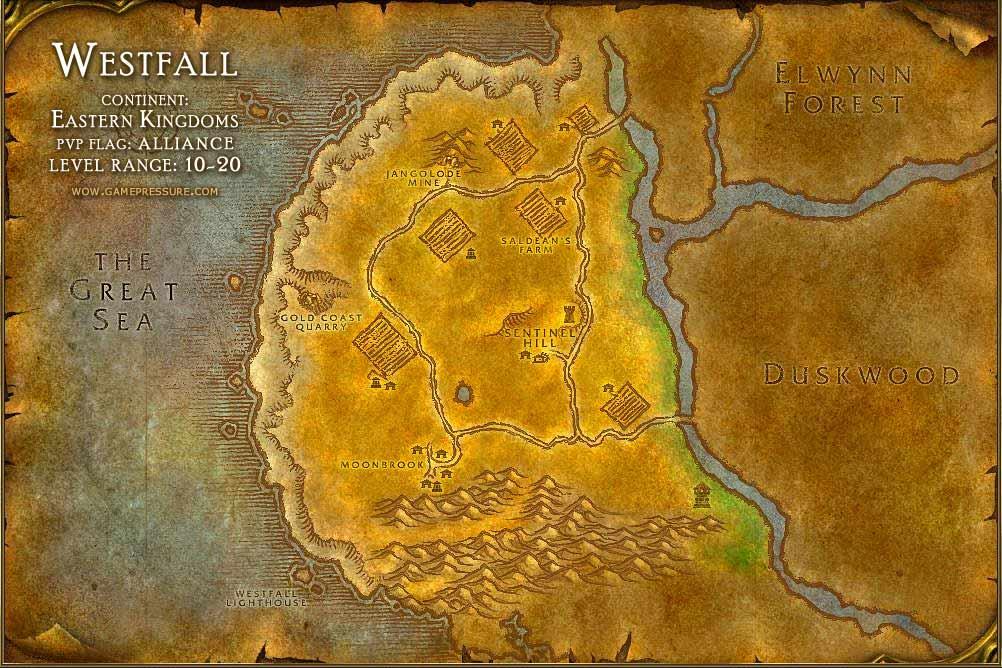
Westfall 13 - 17 1.0.1

(0 reviews)

1 Screenshot

This Part of the files is still being worked on current progress confirmed is level 17, but later steps using Flight path need be re-worked for vanilla wow.

Set it to Keep:

  • Goretusk Liver
  • Goretusk Snout
  • Stringy Vulture Meat
  • Murloc Eye
  • Okra
  • Flasks of Oil
  • Murloc Fin
  • Hops


What's New in Version 1.0.1

Released

  • Tweaked the flight path part should use it at end (file test edit 2)

User Feedback

Recommended Comments

colderpotato

Members

Starting work on 17 - 20 Redridge! Keep this in mind I'm running out of old things to clean up for vanilla, so with my old work running thin this is where stuff slows down.  Just thought I'd let you know, but going add more quests and shoot for maybe 22 or 23 before darkshire.

colderpotato

Members

I noticed one issue and it was The militia's people # 2 instead of pick up says pulse, will update it later

Create an account or sign in to comment

Account

Navigation

Search

Search

Configure browser push notifications

Chrome (Android)
  1. Tap the lock icon next to the address bar.
  2. Tap Permissions → Notifications.
  3. Adjust your preference.
Chrome (Desktop)
  1. Click the padlock icon in the address bar.
  2. Select Site settings.
  3. Find Notifications and adjust your preference.
