Droidz
Administrators
-
Joined
-
Last visited
Everything posted by Droidz
-
WRobot is idle in archeo only when all digsites are disabled or blacklisted. Check if digsite is active in wrobot, or to complete manually some digsites and start bot again.
-
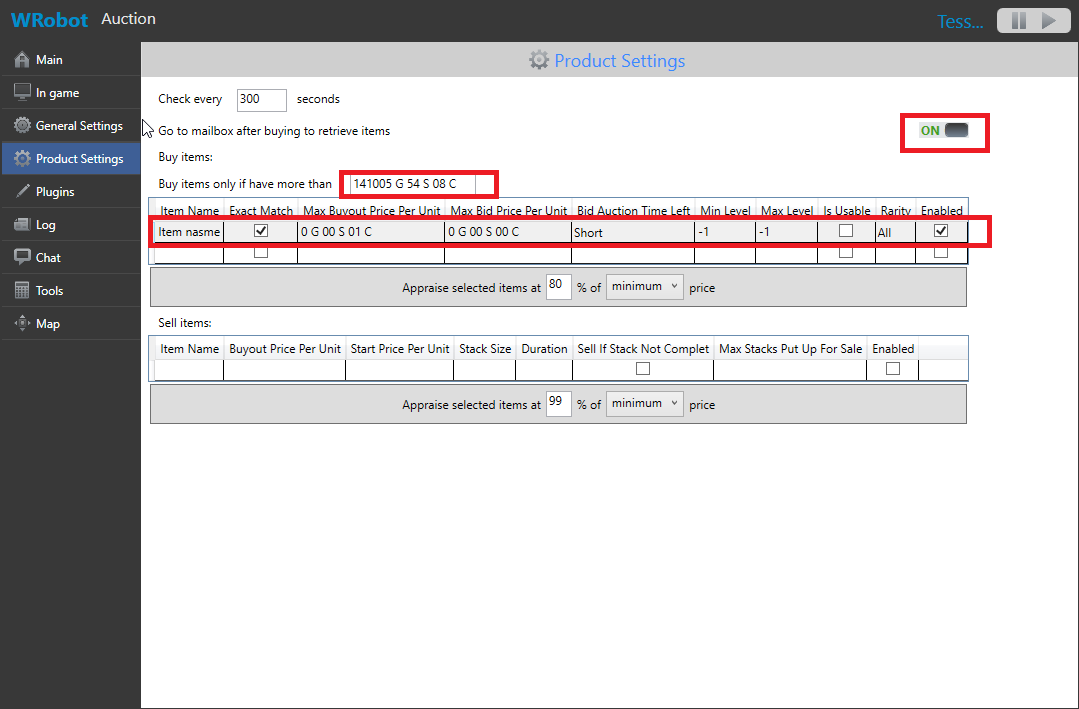
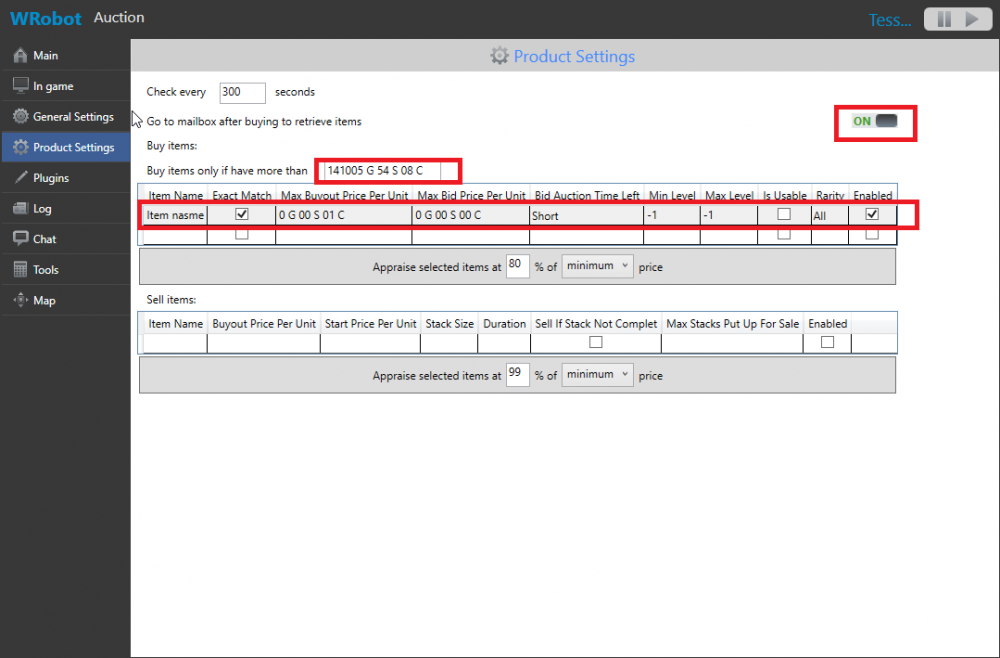
Use auction bot with settings like this (WRobot will only go to mailbox): PS: You can also use wow addon like https://mods.curse.com/addons/wow/postal
-
Hello, try to close all wrobot sessions and remove folder "WRobot\Data\Meshes\". If your problem is not resolved try to reinstall WRobot.
-
1: You want say that character follow all profile coordos? if yes disable wrobot settings "Harvest herbs" and "Harvest ...". 2: Use grinder bot, grinder bot gather also.
-
Hello, in product settings you can deactivate dig sites, try to deactivate isle giants dig sites.
-
Hello, you need to use Relogger with "Gatherer" boy (or "Quester" bot if WRobot cannot go to second profile from the first profiles alone). For relogger, I think than you have select "WRobot.exe" in general settings, since WRobot for wow 7.1.0 you need to select renamed WRobot.exe (new name is like "UqtfGgP.exe"), you can reinstall WRobot to resolve problem and don't edit relogger "General Settings".
-
Hello, Use quest type "Gatherer" ( http://wrobot.eu/forums/topic/3394-quest-tutorial-video-basic-concepts-gatherer/ ) If you problem is not resolved, can you share wowhead link of the quest.
-
Can you tell me in what context do you want go to mailbox to recover the items (what do you want to do before/after?).
-
Hello, when you stop/start bot WRobot do the quest again? If yes add step type "GoToStep" with param "0" in quests order. If you problem is not resolved, can you share your profile.
-
-
-
Check if you don't use proxy, make also this step: (some virus/malwares intall proxy on your computer). You can also check if your hosts file don't block WRobot.eu ( https://support.rackspace.com/how-to/modify-your-hosts-file/ )
-
"Logs" folder is empty?
-
Hello, Can you share your log file please (http://wrobot.eu/forums/topic/1779-how-to-post-your-log-file-with-your-topic/).
-
Hello, Can you share your log file please (http://wrobot.eu/forums/topic/1779-how-to-post-your-log-file-with-your-topic/).
-
-
Bonjour, dans wow, allez dans Menu > Interface > Souris > Cliquer pour se déplacer (désactivé cette option)
-
Ok, tell me if this resolve your problem. if you can also try to close battle.net launcher. You get this message all time?
-
Hello, "Auction" bot does this.
-
Hello, can you read this: http://wrobot.eu/forums/topic/1381-repairinstall-wrobot/#comment-966 If you problem is not resolved, can you share your log file please ( http://wrobot.eu/forums/topic/1779-how-to-post-your-log-file-with-your-topic/ ).
-
Do you have try to restart your computer or to disable your anti virus?
-
-
I have keep note of it, I comeback here if I add code for this.Hello, try this plugin http://wrobot.eu/forums/topic/2747-clear-session-blacklist/?do=findComment&comment=12547