Droidz
Administrators
-
Joined
-
Last visited
Everything posted by Droidz
-
You get this problem without fightclass? with another fightclass?
-
Hello, trial version works only on WRobot for private server.
-
This save setting only for current character, to copy quickly you setting you can use this plugin http://wrobot.eu/files/file/421-settings-backup/
-
Hello, http://wrobot.eu/forums/topic/1530-pet-hunter-camping-module/?do=findComment&comment=7919 (old script)
-
Hello, Not tested, but like this: int entryIdNpc = 123456; var path = new List<Vector3>(); // your path MovementManager.Go(path); while (MovementManager.InMovement && Conditions.InGameAndConnectedAndAliveAndProductStartedNotInPause && !Conditions.IsAttackedAndCannotIgnore) { // Wait follow path Thread.Sleep(100); } MovementManager.StopMove(); if (path[path.Count - 1].DistanceTo(ObjectManager.Me.Position) < 10) { // easy way: GoToTask.ToPositionAndIntecractWithNpc(path[path.Count - 1], entryIdNpc); // no easy: /*var u = ObjectManager.GetNearestWoWUnit(ObjectManager.GetWoWUnitByEntry(entryIdNpc)); if (u.IsValid) { // can need to go to but I'll not implement it Interact.InteractGameObject(u.GetBaseAddress); }*/ }
-
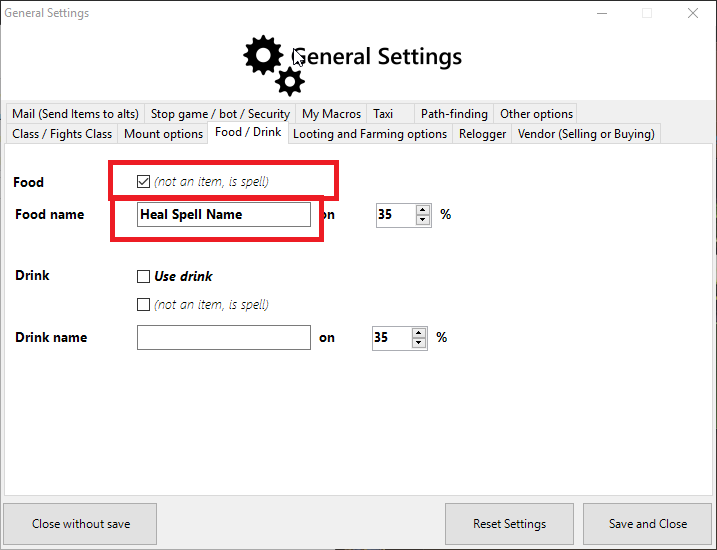
Hello, you don't need to use fightclass:
-
I cannot help you more , if I get this quest I comeback here
-
Hello, I don't understand what you want. Can you give more information
-
Hello, do you have try to reinstall wrobot?
-
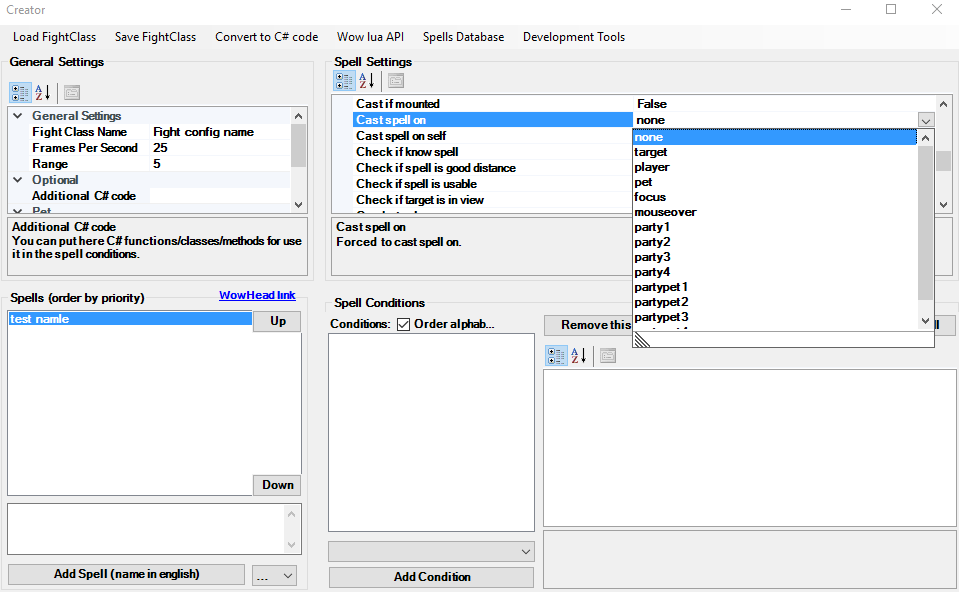
Hello, on editor:
-
You get this problem only in this quest on in all quests? You can try to count number of http://www.wowhead.com/item=122095/crackling-leyworm-core in your bag
-
You speal about objective "Throw crystals into Senegos's pool" ?
-
Do you have try to use objective 3 (instead 1) ?
-
Can you share your full log file pelase
-
Hello, try to put false at spell setting "Check if spell is good distance".
-
-
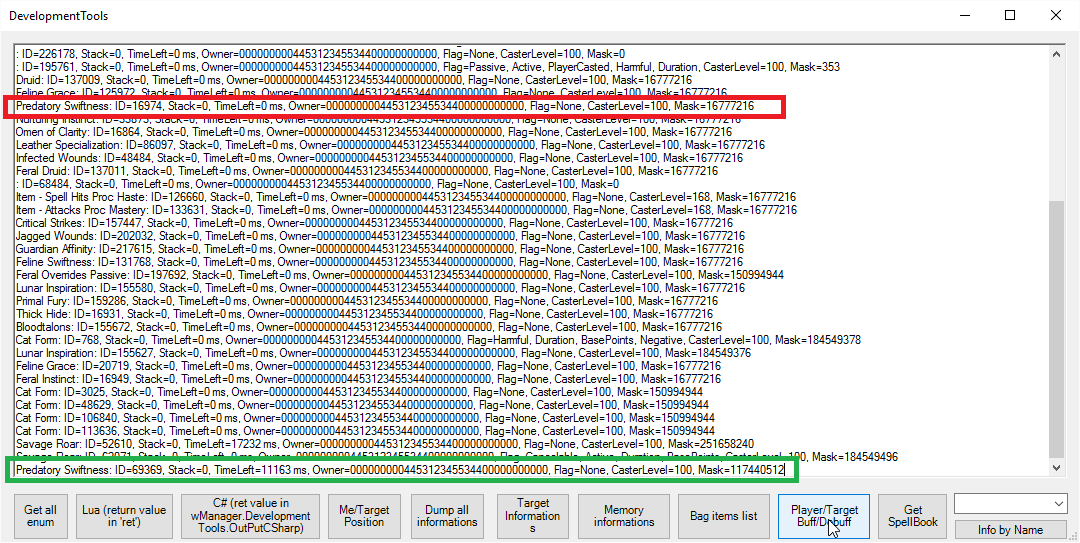
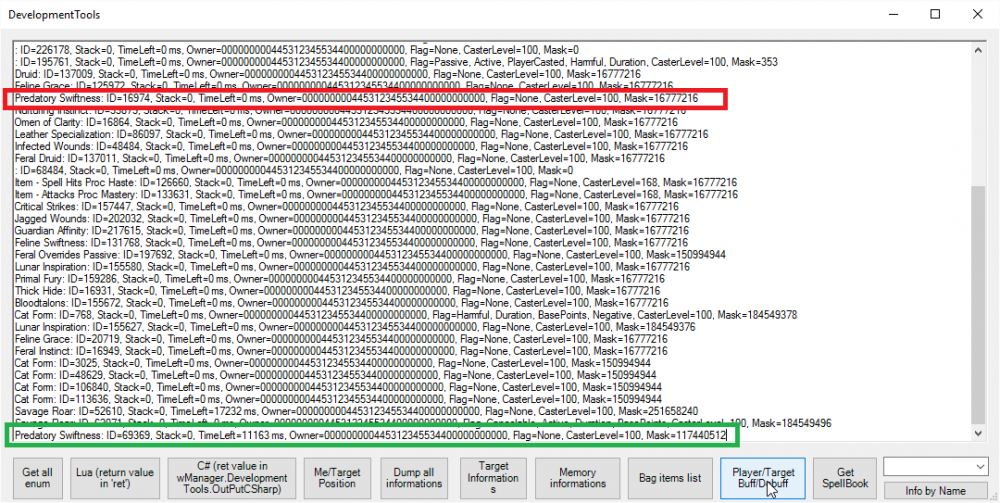
Use http://wrobot.eu/forums/topic/3573-snippets-c-codes-for-fight-classes/#comment-16508 with spell id 69369 (http://wrobot.eu/bugtracker/buff-checking-failed-r496/)
-
It is only display problem, I'll fix it. Ofcourse, this does not alter the existing profiles.
-
Hello, In quest order (steps), look at the end: http://wrobot.eu/files/file/715-eenys-wod-slagmine-goldfarmer/
-
I'll release update, if you can tell me if problem is reolved.
-
Hello, I'll add this
-
Hello, I have noted your suggestion, I come back when is done. You can look this profile: http://wrobot.eu/forums/topic/3658-quester-sometimes-decides-to-double-pulse/?do=findComment&comment=17225 (but you cannot use the methods in "quest order")
-
Hello, you get same problem when "lua to move" is not enabled? Without "lua to move" WRobot don't works in background (I have added option "lua to move" because some antivirus/softwares block keyboard access, but if you can don't use this option)?
-
-
Hello, if you can select one quest and: - if it is not same objective, look this profile: http://wrobot.eu/files/file/532-apexis-daily-quests/ - if it is exactly the same quests like http://www.wowhead.com/quest=28757/beating-them-back :