cn3588
Members
-
Joined
-
Last visited
Files posted by cn3588
-
📝 Overview / 简介
This is a comprehensive, professionally polished, and high-quality Simplified Chinese (简体中文) translation language pack for WRobot.
本语言包针对 WRobot 进行了全量 579 个词条的精校与高质量本土化,彻底修复原版陈旧机翻。
---
✨ Key Features & Improvements / 主要改进
- Fixed Machine Translation Errors / 彻底修复严重错翻:
- none: Corrected from "位置" to "无"
- In progress: Corrected from "进入" to "进行中"
- Use this character: Corrected from "使用此游戏" to "使用此角色"
- XP/HR & Honor/HR: Corrected from "经验/共计" to "经验/小时" & "荣誉/小时"
- Smelting here: Corrected from "再次熔炼" to "在此处熔炼"
- Strand of the Ancients: Corrected from "古怪的" to official BG name "远古海滩"
- Official WoW Terminology / 严格对齐魔兽世界国服官方译名:
- All battlegrounds aligned (战歌峡谷, 阿拉希盆地, 奥特兰克山谷, 风暴之眼, 远古海滩, 征服之岛, 吉尔尼斯之战, 双子峰, 寇魔古寺, 深风峡谷).
- Accurate in-game terms (灵魂医者, 选矿, 研磨, 旅行者的苔原猛犸象, 随身邮箱 MOLL-E, 埃匹希斯水晶 等).
- 100% Coverage / 全面覆盖:
- Cleaned up untranslated lines, corrected typos ("登陆" -> "登录"), and preserved all original placeholders.
---
🛠 How to Install / 安装方法
1. Download Chinese.xml. (下载附件中的 Chinese.xml)
2. Place Chinese.xml into your WRobot folder: (将文件放入以下目录)
WRobot\Data\Lang\Chinese.xml
(If the Lang folder does not exist, create it / 若没有 Lang 文件夹请手动新建)
3. Open WRobot\Settings\lang.txt with Notepad and change its content to: (记事本打开 Settings\lang.txt,内容改为:)
Chinese.xml
4. (Optional) You can also copy Chinese.xml to WRobot\Data\Lang\Default.xml.
5. Restart WRobot.exe and enjoy! (重新打开 WRobot 即可显示中文)- 18 Downloads
Submitted -
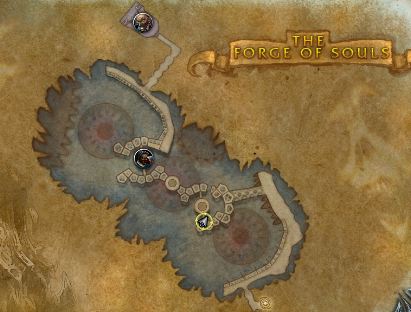
20 bag Drop about 30%
24 bag Drop not sure.
Run at Northrend
Not 100% AFK you need click to open the door. run about 3-4 times you will get 20 bag.
http://www.wowhead.com/zone=4809/the-forge-of-souls
Kill
http://www.wowhead.com/npc=36497/bronjahm
Drop
http://www.wowhead.com/item=50317/papas-new-bag 20 bag
http://www.wowhead.com/item=50316/papas-brand-new-bag 22bag- 109 Downloads
- 1 Comments
Updated -
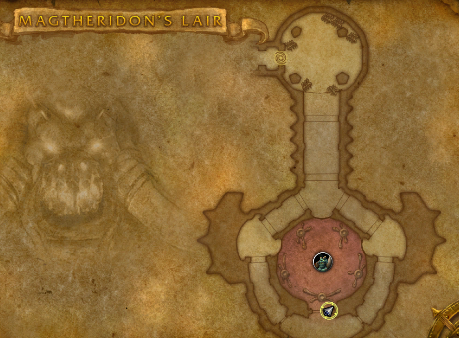
Need click to open the door
100% drop.
Run at Hellfire Peninsula
http://www.wowhead.com/zone=3836/magtheridons-lair
Kill
http://www.wowhead.com/npc=17257/magtheridon
Drop
http://www.wowhead.com/item=34845/pit-lords-satchel 20 bag- 46 Downloads
Updated -
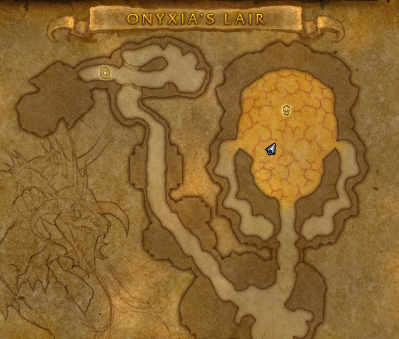
Range DPS Only or fast DPS skip the boss fly.
Run at Kalimdor or TP
http://www.wowhead.com/zone=2159
Kill
http://www.wowhead.com/npc=10184/onyxia
Drop 100% bag, low for mount
http://www.wowhead.com/item=49636/reins-of-the-onyxian-drake
http://www.wowhead.com/item=49295/enlarged-onyxia-hide-backpack- 164 Downloads
- 2 Comments
Updated -
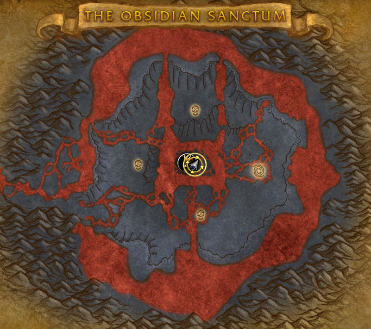
http://www.wowhead.com/zone=4493/the-obsidian-sanctum
100% drop
http://www.wowhead.com/item=43345/dragon-hide-bag
http://www.wowhead.com/item=43954/reins-of-the-twilight-drake
Run at Northrend or close dragonblight- 103 Downloads
Updated -
http://www.wowhead.com/achievement=9456/abyssal-gulper-eel-angler
In Spires of Arak
non-afk
about 2 hour for 100 with Server Hop
useful Item
http://www.wowhead.com/item=118391/worm-supreme
note: 7.0.3 Server Hop may not work.
2 Fish School in this location, 3-5 minutes reset
- 92 Downloads
- 1 Comments
Updated -
In Spires of Arak
non-afk
about 1 hour for 100 with Server Hop
AFK
about 3 hours for 100
useful Item
http://www.wowhead.com/item=118391/worm-supreme
- 106 Downloads
Updated