
saleh
Members
-
Joined
-
Last visited
-
Hi i need to put a condition on Quest Profile to solve that if player is Warrior ==>> wManager.wManagerSetting.CurrentSetting.RestingMana = False; Thanks
-
-
IS that Plugin Work for WLFK V. ?
-
hello i cant` understand this code i need to switch to party after quest is finish ?
-
hi Can Quest Profile Change Wrobot Product ? like Fishing , Party Or Auction ? after finishing all quests in profile WOW (3.3.5 V) Thanks
-
ok , i understand
-
i think it should be - how the wrobot Close conditions works (like Teleport , Bag Full ..Etc ) ?
-
hi is there Exit Code (WRobot ) to use "Next task" function in Reloger to use in Quest profile When Quester Finish Thanks
-
Thank you Work Perfect
-
-
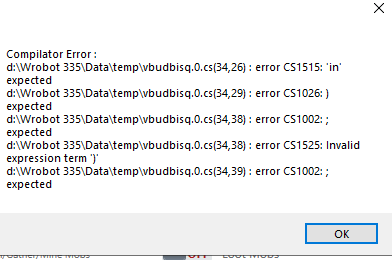
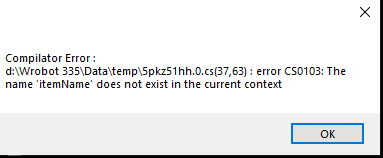
List<String> ItemNames = new List<string> { "Hearthstone", "Linen Cloth", "Lesser Healing Potion", "Minor Healing Potion", }; foreach (string ItemName in ItemNames) { if(!wManager.wManagerSetting.CurrentSetting.DoNotSellList.Contains(ItemName)) wManager.wManagerSetting.CurrentSetting.DoNotSellList.Add(itemName); } it give me that error ,
 can i add loop option to add multi objects ? Thanksvery nice code Good job please , is there a code to delete all DoNotSellList ? ThanksComplexTrain New SkillsLoot Off Use FlighMaster OFF Close Bot if teleport Selling On Off For Example