Moonpie
Members
-
Joined
-
Last visited
Files posted by Moonpie
-
Hey there,
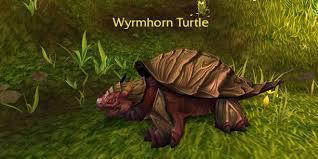
i just created a simple grinding profile i use to level my Alts from 85-90. It also grinds a lot of Meat and the turtles are skinable and provide a lot of Sha-Touched Leather.
Enjoy Grinding- wyrmhorn turtle
- mop
- farm
- grinder
-
Tagged with:
- 40 Downloads
Updated -
Hey fellow Companions,
just a farm spot for Sumptuos Fur in the South of Nagrand [Draenor]. It got 400 Loots / hr without skinning. So its around 600 to 800 Fur / hr.
Enjoy Grinding- 79 Downloads
Updated -
Hey there,
i just stumbled upon a profile of mine i have been using to farm Sha Crystals on the Timeless Isles. While Farming the Gulp Frogs who are located at the South East you also farm a lot of Timeless Coins. I also got the Gulp Frog Pet after farming for 5 hours.
Enjoiy the profile.
Update: Since i got asked this twice now. Make sure to turn [start fighting with Elite] on else the bot won't attack the Frogs- 129 Downloads
- 3 Comments
Updated -
Hey there,
i just created a quick profile to farm the rare Item/Pet Parrot Cage (Hyacinth Macaw) in Northern Stranglethorn. Its a very simple profile with ~300 farms / hour. Since it has a Dropchance of 0.02 % per NPC it takes roughly 17 hours to farm it on average. The Pet sells for ~64k on EU Server.
I hope you enjoy it. May the dropluck be with you =)- 68 Downloads
- 2 Comments
Submitted