ivanlink
Members
-
Joined
-
Last visited
-
Hello, last year i bought an unlimited subscription. Which said unlimited sbuscritpion for 10 years. I still have the receipt and now it says that my licensa has expired, any chance i can get an explain from the staff about this or any possible solution? Thanks in advance and I was really enjoying the program but I wanted to know why this happened?
-
Is there someone that knows a real way how to fix thiS? I know I'm not the only one having a problem with it. Thanks
-
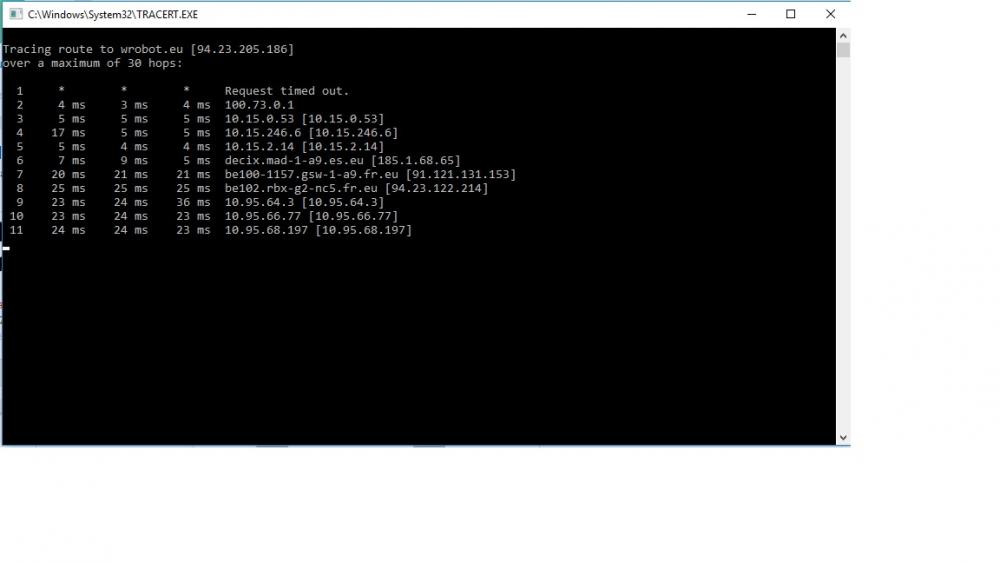
I don't know if that's what you needed.
-
-
Any known solution?
-
https://imgur.com/LZBntgJ I get this error and I can't get to fix it... I don't know what may cause it but I have tried everything... -Reinstalled the bot. - Turned off Firewall + Antivirus. - Turned off almost every program that I use. -I launched Wow in 32 bit mode. - I turned off Proxy servers aswell. Still nothing. I'm using windows 10 now and I can't get it to work... It worked perfectly with windows 7 for me. Additional help is needed cause I don't know what to do anymore. Thanks
-
Hello, I got the bot working for a week but now again I'm getting the same error... I don't know how i fixed it and I don't know how to fix it again, can you provide me with a solution please? Thanks!
-
Thanks that really was helpful and solved my problem <3! I just disabled the proxy and it worked!
-
I've already tried all of the thing the other posts say and none work,
-
Image of the Error I get this error message when I launch the bot, I just installed windows 10, before I was using windows 7 and it was working perfect, now It doesn't. I have tried turning off my firewall + antivirus and I still get this message, I've also tried to run the bot as administrator and nothing, I've also tried to run WoW in 32 bit mode and still nothing. I don't know what else to do, some help would be really appreciated , thanks!
-
 Hello, It doesn't work for me, it only runs around the Isle but It doesn't kill any mobs... can you please fix that? Thanks! I will give 5 star if it gets fixed.
- 2 comments
- 4 reviews