




stesve
Members
-
Joined
-
Last visited
-
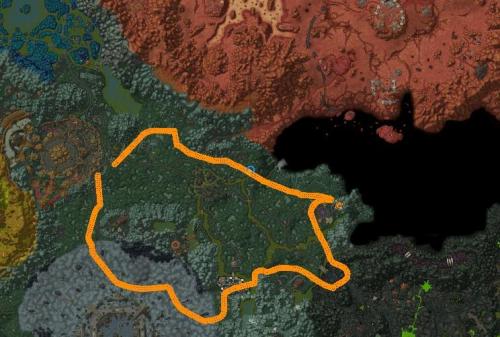 Decent beginners route around Terokkar. Lots of herbs to be picked - but you may experience going a full circle without any picks due to it being a small route. No risk of dieing if your character is level 70 and got a decent fightclass
 -
 Hey, can i get some support here. Bought it an hour ago, but haven't received a downloadlink.
- 162 comments
- 11 reviews