




79135
WRobot user
-
Joined
-
Last visited
Everything posted by 79135
-
Where is "in developer assistance on how to do that" . Link pls
-
-
I wait more 30 min. Can it happen from the script? Idk how unsubscribe , help pls //Healing Touch !fight mana > 40% hp< 60% Logging.Write("Healing Touch !fight mana > 40% hp< 60%"); int percentHP = 60; int percentMana = 40; bool need = true; robotManager.Events.FiniteStateMachineEvents.OnRunState += (engine, state, cancelable) => { if(ObjectManager.Me.HealthPercent < percentHP + 5 && ObjectManager.GetUnitAttackPlayer().Count(u => u.GetDistance < 100) == 0 && need) { cancelable.Cancel = true; while(ObjectManager.Me.HealthPercent < percentHP + 5 && ObjectManager.GetUnitAttackPlayer().Count(u => u.GetDistance < 100) == 0 && !ObjectManager.Me.IsDead) { } } };
-
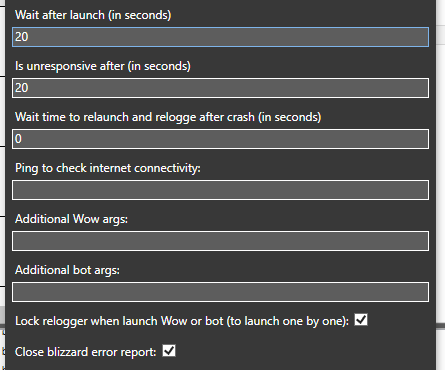
If my internet is off ~ 30 sec Relogger don't login char in game when my internet is on
-
-
while(ObjectManager.Me.Position.DistanceTo(new Vector3(377.3996, -134.4637, -2)) > 3) { MovementManager.Face(new Vector3(377.3996, -134.4637, -2)); Thread.Sleep(500); Move.Forward(Move.MoveAction.PressKey,100); Thread.Sleep(500); } Bot never come into point
-
Thanks a lot
-
How to check it : [Path-Finding] Cannot find path ? I need in for: if(!PathsFinder.FindPath(new Vector3()) {}
-
Thanks) . How about quester profile, do you don't know?
-
Just example please). And in quester profile quest type "Kill and Loot" I can as the extract point route in to is complete condition? (return ObjectManager.Me.Position.DistanceTo(pointRoute) < 3;
-
The code in the plugin, but don't work, just repeat 123 if (wManager.wManagerSetting.CurrentSetting.PluginsSettings.Any(p => !p.Actif && string.Equals(p.FileName, "file name.cs")) && _isLaunched && Products.IsStarted && Conditions.InGameAndConnectedAndProductStartedNotInPause && (Usefuls.ContinentId == (int)ContinentId.Northrend || Usefuls.ContinentId == (int)ContinentId.Expansion01 || Usefuls.ContinentId == (int)ContinentId.Kalimdor || Usefuls.ContinentId == (int)ContinentId.Azeroth)) { foreach (var p in wManager.wManagerSetting.CurrentSetting.PluginsSettings) { Logging.Write("123"); Thread.Sleep(1000); if (p.FileName == "SmoothMove.dll") p.Actif = true; } wManager.Plugin.PluginsManager.LoadAllPlugins(); }
-
well, because earlier as it was hidden..............(when wrobot was a 1st version)
-
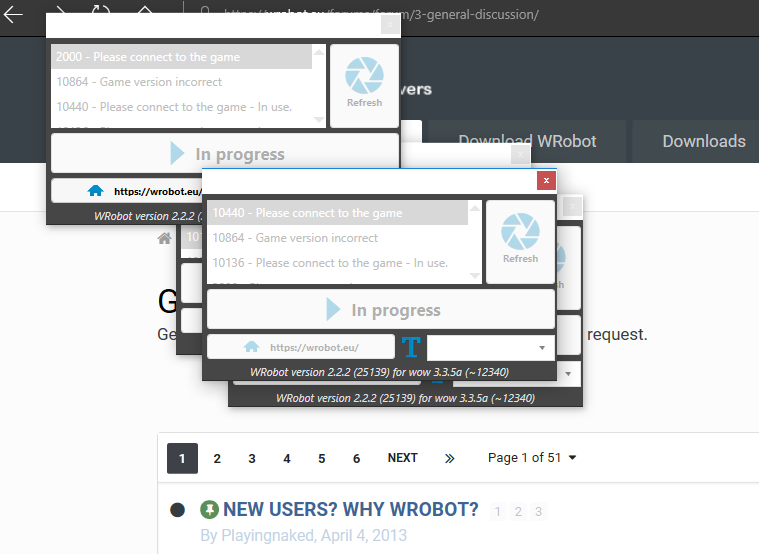
If server is down more than 5 mins all screen in the windows. How to hide it, answer please
-
Again.... it is so often...
-
again down omg. No one have the problem?
-
again (1 min ago from post the msg) restart all session on 4 computers!
-
one session I had turned off because of the edit but it closes together with all
-
Why wrobot restart sometimes!? All (60 session) practically at the same time restart! 19 ноя 2018 21H11.log.html
-
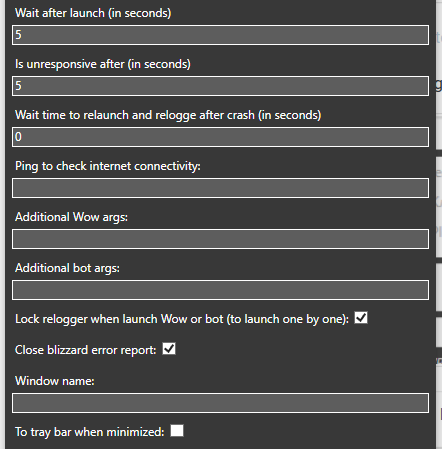
I changed the time 5 to 60 to 30, don't help, previously, this window did not appear at all or was immediately minimized
-
What is string answering for it? "Wait after launch (in seconds)"?
-
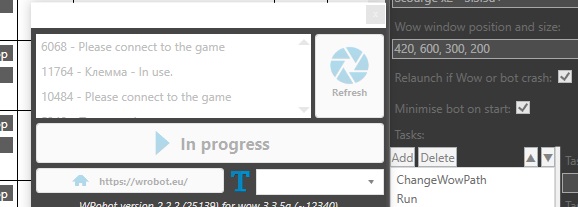
6-10 months ago settings is work... Atm every restart is appear this window. How to hide it?
-
-
How to check for quester profile "is complete condition" if plugin is active?
-
I saw it still 5-6 mouth ago
-
I need only the event: robotManager.Events.FiniteStateMachineEvents.OnRunState += (engine, state, cancelable) =>. I use the plugin for running in ghost.