andrew peterson
Members
-
Joined
-
Last visited
-
-
My bot spit out a player teleported error after it used the mailbox. dunno if it is coincidence or a problem that will always happen
-
Can the bot be closed if the WoW process it is attached to closes?
-
When the bot closes, it used to turn off click to move. It no longer does that.
-
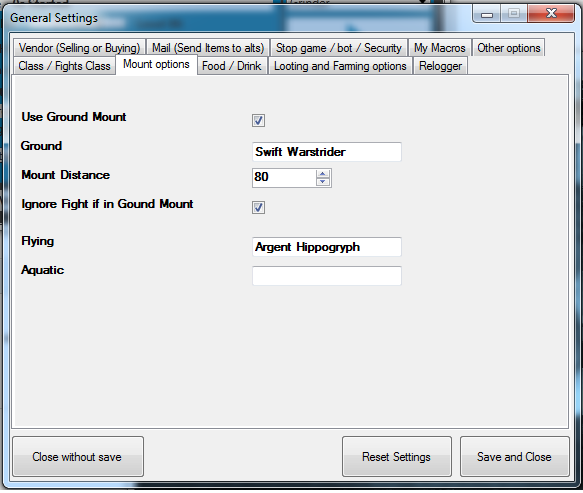
When the bot is dead, I don't expect to to mount up. Can the bot tell what zone it is in? Can the bot tell when it's dead? if you answer yes to both of those, why wouldn't it be able to fly? I don't see why it would be such a head ache??? I've seriously been considering using some of the guides on mmowned to make my own private bot that does the very little I want this bot to do. I've already designed a prototype nav system that uses simulated keyboard/mouse movements instead of push to click. It's not prone to the problems the push to click movement this bot uses. I've also thought of a map system that uses sort of a weight system to know where to go and what path would encounter the least obstacles. I also thought of a way to make navigation server side like demonbuddy does for diablo 3. All the problems I have with this bot are fixable, but all I hear is "it can't be done". steve jobs fired every1 in his company that had that attitude. He said that it's not that it can't be done, it's that you don't want to put in the effort to try and make it possible.
-
My problem is that it doesn't fly when it could, and save a lot of time. it also gets stuck on obstacles when it could just fly right over them.
-
I would like the bot to use the attack force of nature. problem is the bot doesn't seem to be capable of using it. Is there a trick to making the bot use AOE?
-
I have my bot set to herb/mine in an area with a high level npc patrols a large area. I would rather the bot watch for the npc than avoid the area as a whole.
-
Can an option be added that makes it so that if a certain npc in within x distance from a node it ignores that node?
-
Can the bot be programmed to recognize that it can fly when it's dead?
-
A balance druid fight class I made myself. I use it on my level 80. Might not be as complex as it could be for a level 90.
- 1 comment
- 1 review
-
-

- 1
-
-
here's what happens: bot goes to pick an herb. lands on it. starts picking. goes into combat. kills the mob. mounts up. lifts up a bit. then drops back down to pick. what I would like it to do: skip mounting if it is already on top of the herb. also: would be nice if it appeared more human in some way on its aproach to herb/mine.
-
Can I get some example code of a working mailbox in a profile?
-
<Npc> <Entry>2046</Entry> <Name>Andrew Krighton</Name> <Position> <X>-9464.06</X> <Y>88.934</Y> <Z>58.34372</Z> <Type>None</Type> </Position> <Faction>Alliance</Faction> <Type>Repair</Type> <ContinentId>Azeroth</ContinentId> </Npc> <Npc> <Entry>142075</Entry> <Name>Mailbox</Name> <Position> <X>-9455.989</X> <Y>45.82292</Y> <Z>56.43953</Z> <Type>None</Type> </Position> <Faction>Alliance</Faction> <Type>Mailbox</Type> <ContinentId>Azeroth</ContinentId> </Npc> That's the code I tried using to make it repair/use mailbox. Completely ignored full inv.
-
How do i target the mailbox so I can add it?
-
Wont attack anything..