




Relapse913
Members
-
Joined
-
Last visited
Everything posted by Relapse913
-
doesn't do anything in party mode on a level 20 paladin. dunno about anything else, only reason I wanted to use it.
-
 hey man, it uses deathgrip on bosses if your not in range. this needs to be addressed. during raids while your off tanking, it spams death grip, giving you aggro making you take more of the debuffs and look like a noob and die. it CANNOT use death grip on any bosses in the game. It screws up the tank mechanics of every fight.
- 7 comments
- 2 reviews
-
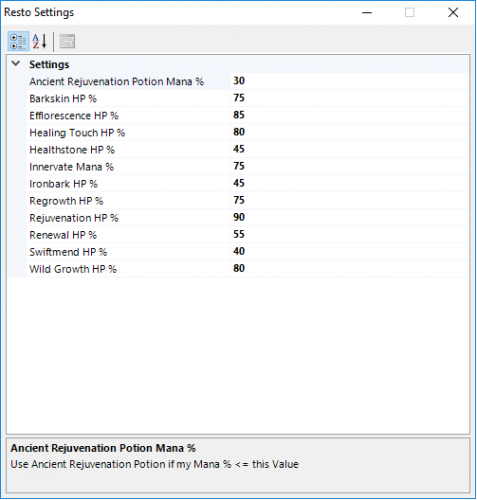 what settings? I don't see anything besides heal % you can input, and it still does what ever it wants.
- 31 comments
- 1 review
-
-
what do you do with the dll file? and what do you set the healing %'s too? sorry new to wrobot
- 31 comments
- 1 review