




shish
Members
-
Joined
-
Last visited
-
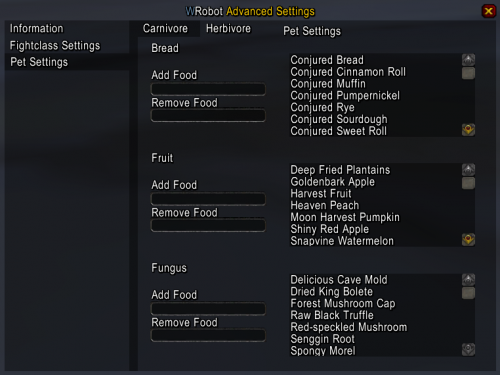 Awesome thanks, HumanMaster plugin fixed all the issues with ammo. Also setting sell amount to quiver size ist a good enough fix. Is there any solution to the problem with manual pet food changing while leveling or is this just something we have to live with? Would be awesome if food would be chosen automaticly somehow...
- 166 comments
- 6 reviews
-
Do you have any suggestions on how to make wRobot fill up on ammo when it's about to run out? Also: has anyone found a way to make wRobot ignore quiver slots on the free bag space check? I know that's not a fight class related issue, but thought here's the right audience for that topic...
- 166 comments
- 6 reviews