frampton
Members
-
Joined
-
Last visited
-
 Hey there, I've attached the log file. Still happening. Thanks for the quick response. 2 Aug 2018 14H44.log.html
- 162 comments
- 11 reviews
-
Hey, great product so far However, I'm level 26 and it keeps trying to send me to the Barrens or Thousand Needles. Any idea? I even started the bot inside Ashenvale. Thanks
- 162 comments
- 11 reviews
-
Hello, step 16 refers to : Disable "Bliz Streaming" feature, for it, on the Battle.net App, go to upper left corner, click the down arrow, go to Settings. From there, go to Streaming and uncheck Enable Streaming. I am using Vanilla wow. Also, not sure how the Bliz streaming feature relates to my questions. Thank you.
-
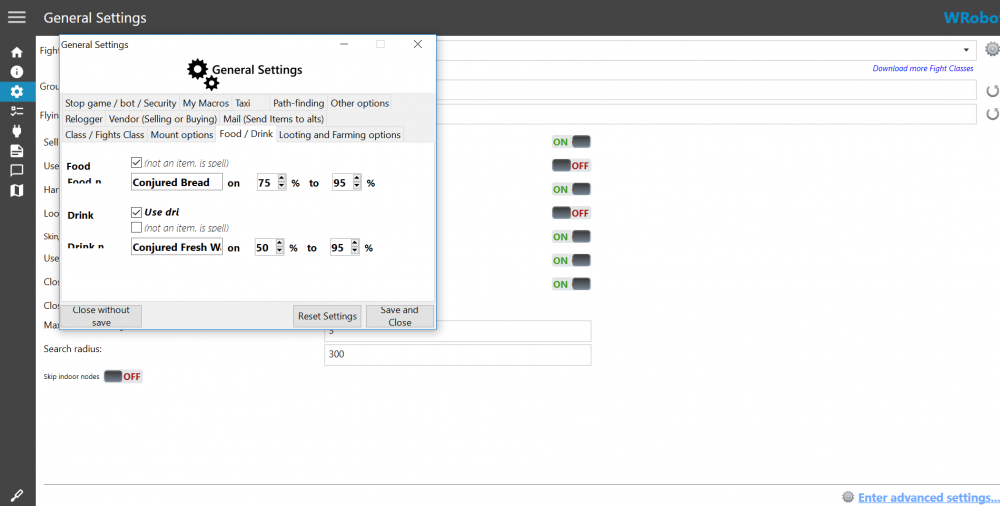
Hey there, Great program, really impressed with the product so far. However, when I click onto the "Enter Advanced Setting" button under the General Settings tab, the window itself is super small and I think I'm missing options because of it. I have attached a picture for reference. Is there any way to enlarge the window? Second Question, the bot keeps selecting mobs that have already been attacked by another player and I'm not getting xp. Is there a way to prevent this?