




lalazors
Members
-
Joined
-
Last visited
Everything posted by lalazors
-
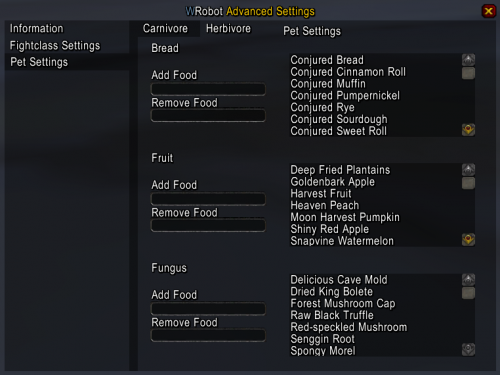 When i die while im trying to revive my pet, it no longer cast the revive spell when i have resurrected :/
- 166 comments
- 6 reviews
-
-
Ye mate, im on the newest version of wrobot. I have read the faq and even installed it. I dont get any errors, but it aint revivein the pet
- 166 comments
- 6 reviews
-
neither does it revive my pet for some reason or feed it, so weird everything is checked on
- 166 comments
- 6 reviews
-
My hunter aint targeting mobs within 25 yards, it rather walks up towards the mob, gets hit or start the fight in melee and then move into position? What the actual fauk?
- 166 comments
- 6 reviews
-
Oh it started now, all i needed was a profile and press start
-
its bought
-
I cannot get the file to load, the only file i got from the download was a 39kb Ordush-Paid-Beastmaster-Hunter-Vanilla.dll, is it this you put into fightclass folder and it will automatically work? I got english client 32bit, i use both the wrobot and wow client as administrator. I have everything downloaded aswell from the site. I have reinstalled the wrobot into 2 different folders and still i cannot get it to work. The client do apply to my wow characters and other fight classes do attach. Thanks for any answer