



Skip to content
View in the app

A better way to browse. Learn more.

WRobot

A full-screen app on your home screen with push notifications, badges and more.

To install this app on iOS and iPadOS
  1. Tap the Share icon in Safari
  2. Scroll the menu and tap Add to Home Screen.
  3. Tap Add in the top-right corner.
To install this app on Android
  1. Tap the 3-dot menu (⋮) in the top-right corner of the browser.
  2. Tap Add to Home screen or Install app.
  3. Confirm by tapping Install.

TBC Train Level 1.0.0

(0 reviews)

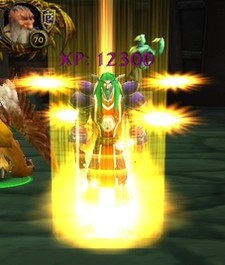
1 Screenshot

Are you tired of stopping your leveling to go learn your spells every level ?

TbcTrainLevel lets you learn spells more effectively in order to speed up the leveling :

  • Every 2 levels from 1 to 10
  • Every 6 levels from 10 to 60 
  • All levels from 60 to 70 
 
How to use : 
Add the TBCTrainLevel.cs file to the Wrobot Plugins folder.
After this, start up bot, go to the tab called "Plugins" and turn "TBCTrainLevel.cs" by on.



User Feedback

Recommended Comments

Lbniese

Members

Thanks for the contribution. Will try this out ASAP. I'm also glad that somebody released free content for Vanilla/TBC for once :)

GJ31

Members

Do you have to leave the 'Train New Spells' option checked for this to work?

x11r6

Members

how does it work? where should i set the trainer's location?

Treb

Members

I can't seem to figure out how work this, it's enabled and the bot starts it but doesn't move anywhere or does anything.
Can somebody tell me how to use this?

Avvi

Members

the logger is spammed with this:
19:41:20 - [TbcTrainLevel] Started.
19:41:21 - [TbcTrainLevel] Started.
19:41:21 - [TbcTrainLevel] Started.
19:41:22 - [TbcTrainLevel] Started.
19:41:22 - [TbcTrainLevel] Started.
19:41:23 - [TbcTrainLevel] Started.

you should probably remove that from line 24.

tje1991

Members

Does nothing for me sadly

reeze597

Members

On 6/20/2017 at 2:42 AM, Avvi said:

the logger is spammed with this:
19:41:20 - [TbcTrainLevel] Started.
19:41:21 - [TbcTrainLevel] Started.
19:41:21 - [TbcTrainLevel] Started.
19:41:22 - [TbcTrainLevel] Started.
19:41:22 - [TbcTrainLevel] Started.
19:41:23 - [TbcTrainLevel] Started.

you should probably remove that from line 24.

pls update the whole log is full with that...

Create an account or sign in to comment

Account

Navigation

Search

Search

Configure browser push notifications

Chrome (Android)
  1. Tap the lock icon next to the address bar.
  2. Tap Permissions → Notifications.
  3. Adjust your preference.
Chrome (Desktop)
  1. Click the padlock icon in the address bar.
  2. Select Site settings.
  3. Find Notifications and adjust your preference.