



Skip to content
View in the app

A better way to browse. Learn more.

WRobot

A full-screen app on your home screen with push notifications, badges and more.

To install this app on iOS and iPadOS
  1. Tap the Share icon in Safari
  2. Scroll the menu and tap Add to Home Screen.
  3. Tap Add in the top-right corner.
To install this app on Android
  1. Tap the 3-dot menu (⋮) in the top-right corner of the browser.
  2. Tap Add to Home screen or Install app.
  3. Confirm by tapping Install.

[Free] BetterVendor 1.0.2

(0 reviews)

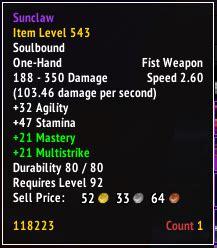
1 Screenshot

Use Case:

If you level up a character and it does quests or gets soulbound items via equipping them. Eventually the bags will fill up because they cant be send away if you dont want to sell them by default.


Features:

  1. Option to enable to sell green soulbound items (Default=true)
  2. Option to enable to sell rare soulbound items (Default=false)
  3. Option to enable to sell epic soulbound items (Default=false)


Note: Tested for 3.3.5, but the API calls that are used also exist in TBC and Vanilla. I don't know if it works for other versions.


Cheers!

What's New in Version 1.0.2

Released

Plugin wont sell items during pause anymore.

User Feedback

You may only provide a review once you have downloaded the file.

There are no reviews to display.

Account

Navigation

Search

Search

Configure browser push notifications

Chrome (Android)
  1. Tap the lock icon next to the address bar.
  2. Tap Permissions → Notifications.
  3. Adjust your preference.
Chrome (Desktop)
  1. Click the padlock icon in the address bar.
  2. Select Site settings.
  3. Find Notifications and adjust your preference.