




Skip to content
View in the app

A better way to browse. Learn more.

WRobot

A full-screen app on your home screen with push notifications, badges and more.

To install this app on iOS and iPadOS
  1. Tap the Share icon in Safari
  2. Scroll the menu and tap Add to Home Screen.
  3. Tap Add in the top-right corner.
To install this app on Android
  1. Tap the 3-dot menu (⋮) in the top-right corner of the browser.
  2. Tap Add to Home screen or Install app.
  3. Confirm by tapping Install.

Destroy Items 0.0.3

(0 reviews)

3 Screenshots

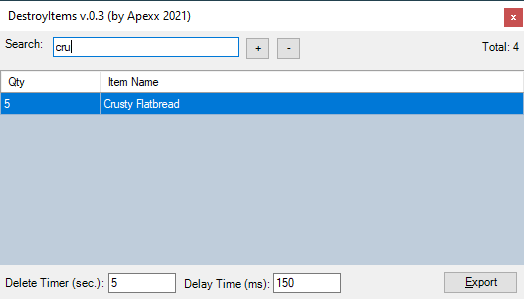
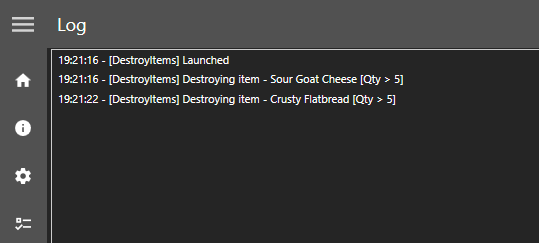
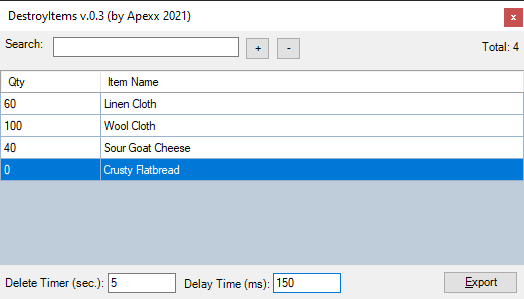
A simple plugin to destroy items from your bags using a collection that you specify as well as a quantity of that item to keep.
DestroyItems_Settings.png.59f0eac4f442fb

C O N T R O L S

+ => Add a new item row.
- => Remove selected row(s).
Delete Timer (sec) => The count-down timer will start and reset while not in combat. Once the timer reaches 0, it will scan you bags for items.
Delay Time (MS) => Adjusting this value will wait the desired (millisecond) delay between each deletion. Adjust higher if you are ejected from the server.
Export => Save your collection to the \Plugins\ directory.

Donate (If you like the product, please consider a small donation.)

Edited by Apexx
Updated info a bit.

What's New in Version 0.0.3

Released

  1. Added DataGridView control.
  2. Added search filtering.
  3. Each character will have their own collection file (inside Plugins directory).

User Feedback

You may only provide a review once you have downloaded the file.

There are no reviews to display.

Account

Navigation

Search

Search

Configure browser push notifications

Chrome (Android)
  1. Tap the lock icon next to the address bar.
  2. Tap Permissions → Notifications.
  3. Adjust your preference.
Chrome (Desktop)
  1. Click the padlock icon in the address bar.
  2. Select Site settings.
  3. Find Notifications and adjust your preference.