




Skip to content
View in the app

A better way to browse. Learn more.

WRobot

A full-screen app on your home screen with push notifications, badges and more.

To install this app on iOS and iPadOS
  1. Tap the Share icon in Safari
  2. Scroll the menu and tap Add to Home Screen.
  3. Tap Add in the top-right corner.
To install this app on Android
  1. Tap the 3-dot menu (⋮) in the top-right corner of the browser.
  2. Tap Add to Home screen or Install app.
  3. Confirm by tapping Install.

[H][Quester] 28-35 STV 1.0.1

(3 reviews)

**QA done- any issues like me know**

Continuation from the other 2 questing profiles I made for Horde.


This profile does quests in both zones of STV.  Start the profile in Grom Gol (off the zepplin) and its AFK from there. Had some tough and annoying pathing issues getting the bots into booty bay, so unfortunately i had to skip those quests...meaning 33-35 is a grind portion.  If you see this starting up i would recommend queuing for an instance and getting some new gear if possible.  28-35 will take about 4-5 hours assuming all goes well.


I cant fix it if i dont know it broken so if you hit an issue with the profile let me know.
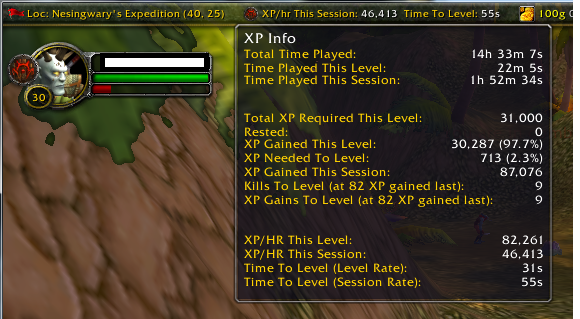
stv.png

What's New in Version 1.0.1

Released

Fixed some mob locations and mob ID's for some quests which was dragging things out.

it works now in full AFK 28-35.. takes 4-5 hours

User Feedback

You may only provide a review once you have downloaded the file.

(edited)

   0 of 2 members found this review helpful 0 / 2 members

:ohmy: Wish i could edit this rating..  after rebooting my machine - and I have clue why this would be the cause - i tried this profile again and ti was FLAWLESS**


Went to Grom Gol. Immediatly upon start, bot flys to The Bulkwark in Tristfal Glades and tries to talk to Shadow Priestess Vandis.   There is no quest availible so the toon just stands there.  You dont mention there are any pre-requisites for the profile - other than being in Grom...

Edited by Beltic

   1 of 1 member found this review helpful 1 / 1 member

worked well

   1 of 1 member found this review helpful 1 / 1 member

Great Job as usual

Account

Navigation

Search

Search

Configure browser push notifications

Chrome (Android)
  1. Tap the lock icon next to the address bar.
  2. Tap Permissions → Notifications.
  3. Adjust your preference.
Chrome (Desktop)
  1. Click the padlock icon in the address bar.
  2. Select Site settings.
  3. Find Notifications and adjust your preference.