




Skip to content
View in the app

A better way to browse. Learn more.

WRobot

A full-screen app on your home screen with push notifications, badges and more.

To install this app on iOS and iPadOS
  1. Tap the Share icon in Safari
  2. Scroll the menu and tap Add to Home Screen.
  3. Tap Add in the top-right corner.
To install this app on Android
  1. Tap the 3-dot menu (⋮) in the top-right corner of the browser.
  2. Tap Add to Home screen or Install app.
  3. Confirm by tapping Install.

[H][Quester] 28-35 STV 1.0.1

(3 reviews)

**QA done- any issues like me know**

Continuation from the other 2 questing profiles I made for Horde.


This profile does quests in both zones of STV.  Start the profile in Grom Gol (off the zepplin) and its AFK from there. Had some tough and annoying pathing issues getting the bots into booty bay, so unfortunately i had to skip those quests...meaning 33-35 is a grind portion.  If you see this starting up i would recommend queuing for an instance and getting some new gear if possible.  28-35 will take about 4-5 hours assuming all goes well.


I cant fix it if i dont know it broken so if you hit an issue with the profile let me know.
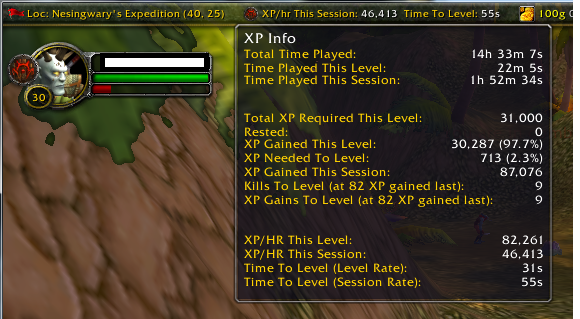
stv.png

What's New in Version 1.0.1

Released

Fixed some mob locations and mob ID's for some quests which was dragging things out.

it works now in full AFK 28-35.. takes 4-5 hours

User Feedback

Recommended Comments

eeny

Elite user

@Beltic paste you session log file here please-  1 star on a free profile is pretty poor without notice or offer to make it better/ diagnose


EDIT- i bet your using the 35-45 profile... that starts with Shadow priestess vandis.  Still upload it, i need a lol.

Beltic

Members

So sorry mate - if I could change the rating, i would.  as I mentioned, after a reboot i tried again, and it was flawless. 


Account

Navigation

Search

Search

Configure browser push notifications

Chrome (Android)
  1. Tap the lock icon next to the address bar.
  2. Tap Permissions → Notifications.
  3. Adjust your preference.
Chrome (Desktop)
  1. Click the padlock icon in the address bar.
  2. Select Site settings.
  3. Find Notifications and adjust your preference.