




Skip to content
View in the app

A better way to browse. Learn more.

WRobot

A full-screen app on your home screen with push notifications, badges and more.

To install this app on iOS and iPadOS
  1. Tap the Share icon in Safari
  2. Scroll the menu and tap Add to Home Screen.
  3. Tap Add in the top-right corner.
To install this app on Android
  1. Tap the 3-dot menu (⋮) in the top-right corner of the browser.
  2. Tap Add to Home screen or Install app.
  3. Confirm by tapping Install.

[H] [Quest] 92-94 Horde Gorgrond 1.0.0

(1 review)

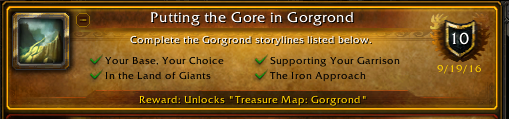
1 Screenshot

Horde profile for Gorgrond quests.

Hasn't gone through full QA just yet so until further notice keep an eye on the profile.

Starts with Durotan on the gorgrond / frostfire border.  its 99% AFK, the only issue is the base selection about 15 minutes into the profile which you will have to do manually at this time.  it should pop up with a messagebox.  CHOOSE THE LUMBERYARD!

I didn't script the final quest "strike while the iron is hot" so i think you end up with 3/4 chapters completed, you can do that manually if you wish.

Added a filler on the end so once its done all the quests it will go do a grind until you stop it.

What's New in Version 1.0.0

Released

No changelog available for this version.

User Feedback

You may only provide a review once you have downloaded the file.

   1 of 1 member found this review helpful 1 / 1 member

Shocking, that 209 people downloaded this file, probably dozens ran it, but nobdoy bothered to thank eeny...


Well, mate, Thank you ! I just downloaded it, works fine. Just ran into one issue, where a quest from Medulla could not be picked up and the bot just stood there...disabled that quest (Regeats from Raktho) and contiuned well...


Great work, appreciate it !

Account

Navigation

Search

Search

Configure browser push notifications

Chrome (Android)
  1. Tap the lock icon next to the address bar.
  2. Tap Permissions → Notifications.
  3. Adjust your preference.
Chrome (Desktop)
  1. Click the padlock icon in the address bar.
  2. Select Site settings.
  3. Find Notifications and adjust your preference.