




Droidz
Administrators
-
Joined
-
Last visited
Everything posted by Droidz
-
Hello, try to remove "Subject" in advanced generals settings tab "Mail"
-
Hello, try to check in you taxi DB (tab tools) if flightmaster position is good. If yes wait meshes update: http://wrobot.eu/bugtracker/pathing-again-r622/
-
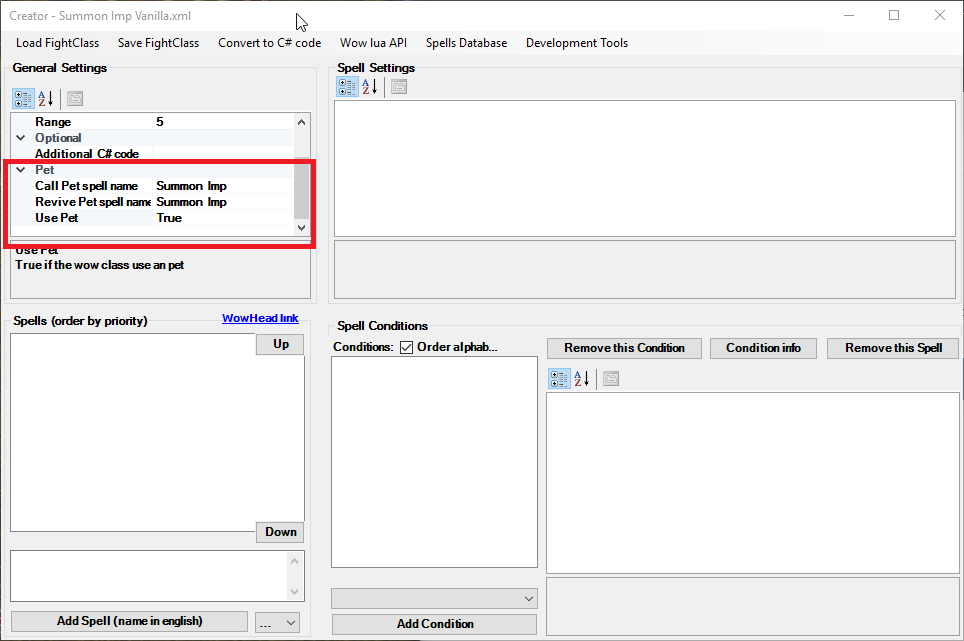
Hello,
-
Hello, you can run this c# code: wManager.Wow.Helpers.Interact.InteractGameObject(wManager.Wow.ObjectManager.ObjectManager.GetNearestWoWGameObject(wManager.Wow.ObjectManager.ObjectManager.GetWoWGameObjectByEntry(254241)).GetBaseAddress); Or add Portcullis in objects at harvest list (in advanced generals settings)
-
Hello, try this plugin: CTMWhenSwimming.cs using wManager.Wow.ObjectManager; public class Main : wManager.Plugin.IPlugin { public void Initialize() { wManager.Events.MovementEvents.OnMoveToLoop += () => { if (ObjectManager.Me.IsSwimming) wManager.wManagerSetting.CurrentSetting.UseCTM = true; else wManager.wManagerSetting.CurrentSetting.UseCTM = false; }; } public void Dispose() { wManager.wManagerSetting.CurrentSetting.UseCTM = false; } public void Settings() { } } You can also run this code in your quest profile (only one time by session): wManager.Events.MovementEvents.OnMoveToLoop += () => { if (wManager.Wow.ObjectManager.ObjectManager.Me.IsSwimming) wManager.wManagerSetting.CurrentSetting.UseCTM = true; else wManager.wManagerSetting.CurrentSetting.UseCTM = false; };
-
Hello, http://wrobot.eu/forums/forum/7-tutorials-wrobot/
-
http://wrobot.eu/forums/topic/5096-corpse-navigation/
-
Hello, I'll fix it in next weeks: http://wrobot.eu/bugtracker/pathing-again-r622/
-
Hello, Can you share your log file please ( http://wrobot.eu/forums/topic/1779-how-to-post-your-log-file-with-your-topic/ ). Do you use default bobber?
-
Hello, yes, use fish bot default settings and in advanced general settings you have mail settings
-
Hello, it is ObjectManager.Me.GetDurabilityPercentBonjour, essayé de désactivé votre antivirusHello, you can found eat settings in advanced general settingsHello, go to general settings et remove google.com (leave it blank)Hello, in advanced general settings activate option "Ignore fight if druid/sky..."If you put fightclass range better than 15, autoattack is not activated.I will upload new meshes version during next days (now only "Eastern Kingdoms" is updated) (in next weeks I'll update meshes of WRobot for private server). This seem resolve navigation problems. If you get problem give me positions and continent.Can you test again and tell me if problem is resolved (continent "Eastern Kingdoms" only for now) (don't forget to restart wrobot), if problem is not resolved, can you give me start and end positions.I think, you try to use fightclass for Legion in WRobot for TBC. To use this fightclass in TBC you need to remove "earth shock" spell conditions.Can you share your log file please ( http://wrobot.eu/forums/topic/1779-how-to-post-your-log-file-with-your-topic/ ) (of session were you get this problem). If you open xml file with notepad it is empty too?Hello, in advanced general settings tab "Mount..."


Account
Navigation
Search
Configure browser push notifications
Chrome (Android)
- Tap the lock icon next to the address bar.
- Tap Permissions → Notifications.
- Adjust your preference.
Chrome (Desktop)
- Click the padlock icon in the address bar.
- Select Site settings.
- Find Notifications and adjust your preference.
Safari (iOS 16.4+)
- Ensure the site is installed via Add to Home Screen.
- Open Settings App → Notifications.
- Find your app name and adjust your preference.
Safari (macOS)
- Go to Safari → Preferences.
- Click the Websites tab.
- Select Notifications in the sidebar.
- Find this website and adjust your preference.
Edge (Android)
- Tap the lock icon next to the address bar.
- Tap Permissions.
- Find Notifications and adjust your preference.
Edge (Desktop)
- Click the padlock icon in the address bar.
- Click Permissions for this site.
- Find Notifications and adjust your preference.
Firefox (Android)
- Go to Settings → Site permissions.
- Tap Notifications.
- Find this site in the list and adjust your preference.
Firefox (Desktop)
- Open Firefox Settings.
- Search for Notifications.
- Find this site in the list and adjust your preference.