Droidz
Administrators
-
Joined
-
Last visited
Everything posted by Droidz
-
Hello, can you share your log file please.
-
Hello, if you can wait next udpate and tell me if problem is resolved.
-
Changed Status to Fixed
-
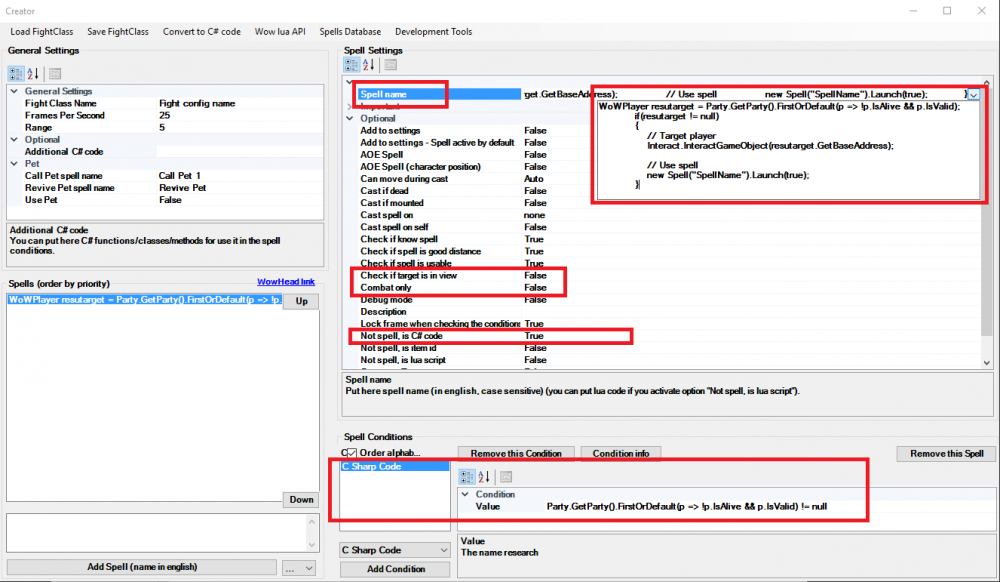
Hello, no tested, but in fightclass editor you can use this code like this:
-
Hello, do you have check "Remember Account Name" in login wow window? If yes, uncheck this option.
-
Hello, WRobot don't need update for this build.
-
Can you try this version: Loot-A-Rang.cs, try also to change your fightclass
-
Changed Status to Confirmed Changed Version to All
-
Hello, step 6 and 10 http://wrobot.eu/forums/topic/1381-repairinstall-wrobot/#comment-966
-
Hello, can your share log file
-
Bonjour http://wrobot.eu/forums/topic/3566-wrotation/#comment-17262
-
https://www.google.fr/#q=site:wrobot.eu%2Ffiles%2Ffile+[paid]
-
Bonjour, Les Figthclass(es) gère les sorts de votre personnage (sans fightclass, votre personnage fera du corps a corps sans utiliser de sort). WRotation permet de controler le votre personnage manuellement, mais le bot gère les combats. Plus d'info ici http://download.wrobot.eu/wrobot/guides/WRobot guide FR.pdf et http://download.wrobot.eu/wrobot/guides/WRobot FAQ FR.pdf
-
WRobot support now Wow 7.0.3 build 22498, you need to update WRobot.
-
Hello, http://wrobot.eu/forums/topic/3693-update-status-patch-703-build-22498/
-
Hello, I just start to work on this patch
-
Hello, trial version is available only on WRobot for private server.
-
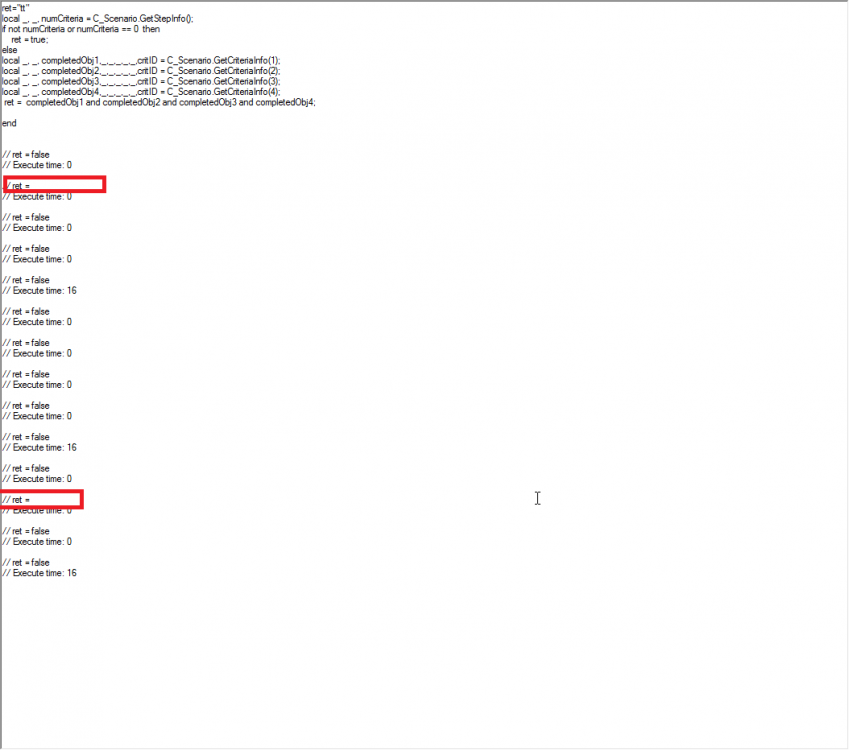
Yes, I cannot resolve this problem, you cannot use class ProfileHelper in quest steps (after reload profile), you need to use full code, fixed profile: Eeny_Slagmines_EDITED.xml Some time, lua return empty ( ), I have try to fix it in quest step code.
-
Hello, do you have try to disable Loot-A-Rang plugin to check if you get this problem or no?
-
Thank you, if you can wait next update. Problem is resolved.
-
Hello, read this: http://wrobot.eu/forums/topic/1381-repairinstall-wrobot/#comment-966 If problem is not resolved, please share your log file.
-
Hello, can you share your log files please.
-
For general WRobot usage, 15 fps is too low to works fine. But you can run this command in wow chat (or create macro) to put quickly maxfps at 15: /run SetCVar('maxFPS', 15); SetCVar('maxFPSBk', 15);
-
Can you send me profile (by private message if you want) where your get more frequently this problem please.
-
It is for this reason than WRobot don't add automaticly vendors now (user need to add manually vendors on "npc db", or he use vendor of profile) (of course, some users can active option "Automatically ... > Add NPCs Vendor", in the case the problem was not resolved).